






Best AI Tools for Lawyers in 2026, Compared & Ranked
×

Best AI Tools for Lawyers in 2026

An AI tool for lawyers is software that performs legal work such as research, contract review, drafting or document analysis against a verified legal database, so its output cites sources a lawyer can open and check. CoCounsel ranks best overall in 2026, Harvey ranks best for large-firm bulk diligence, and Paxton AI ranks best for solo and small firms. The ten AI tools for lawyers below are ranked against 18 criteria in 6 weighted groups, with grounding in verified case law weighted heaviest at 30%. Every position is explained against those criteria, because a ranking without a stated basis carries no information. Each review states the capabilities that earned the position and the limits that capped it. Later sections map every AI tool for lawyers to a task and a firm size, set out full pricing, and define the retrieval technology behind legal AI. Measured error rates for the paid research tools appear in the accuracy section. Grounding in verified case law separates a legal research platform from a consumer assistant, and grounding decides which output a lawyer files behind.

This guide compares legal software and reports published research. The guide is not legal advice and does not advise on your professional obligations; consult your bar’s guidance for those. Prices and product names in this category change often and are verified at the review date. Reviewed July 2026.

Best AI Tools for Lawyers in 2026 at a glance

Ranked by overall rating. Read the full review or head straight to the tool.

1 CoCounsel Grounded research $225/user/mo Read review →
2 Harvey Bulk diligence Four-figure/seat (quote) Read review →
3 Lexis+ with Protégé Lexis subscribers Quote-based Read review →
4 Westlaw Precision AI Litigation research Quote-based Read review →
5 Paxton AI Solo and small firms From $99/mo Read review →
6 Spellbook Contract drafting Quote-based Read review →
7 GC AI In-house teams Quote-based Read review →
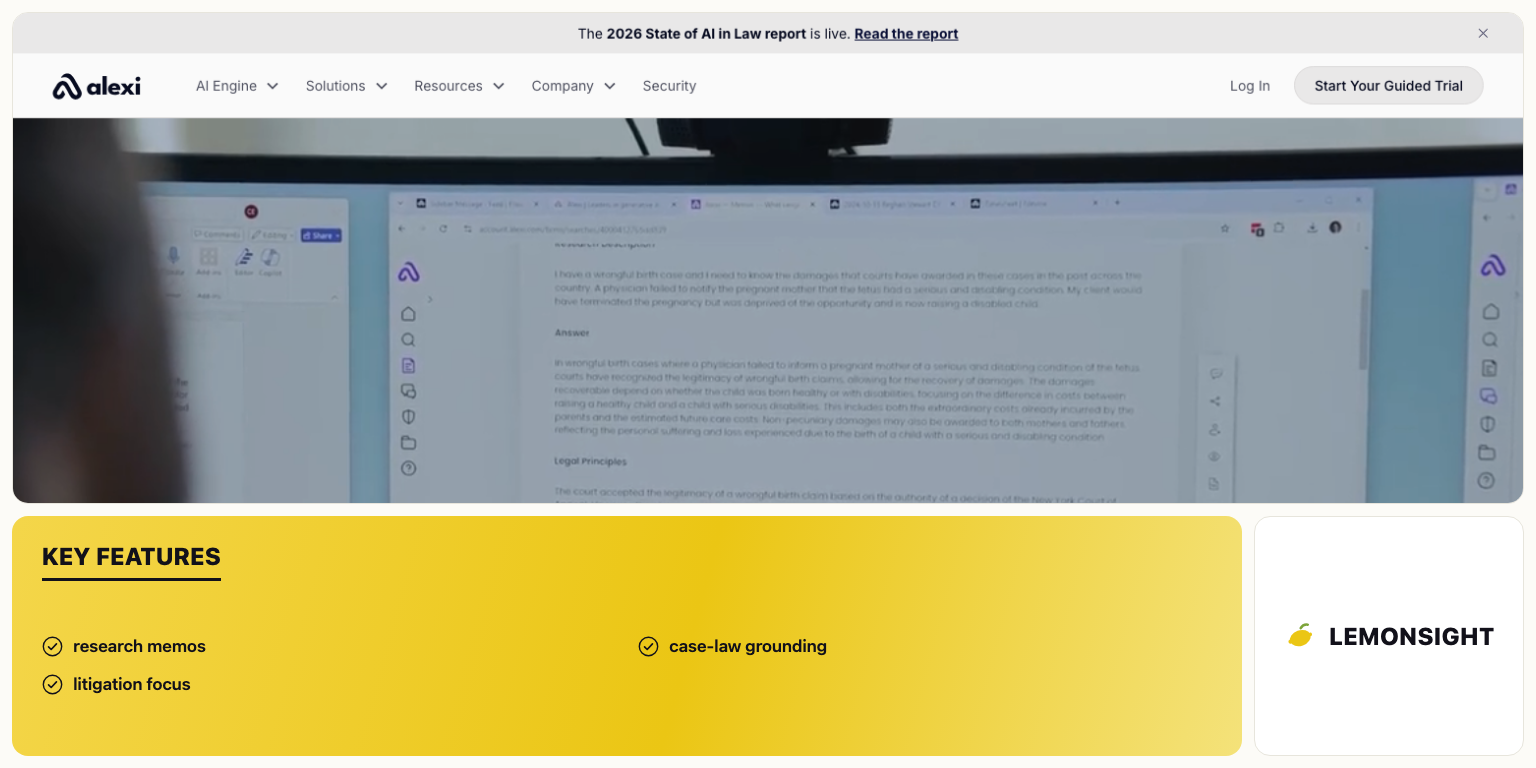
8 Alexi Litigation memos From $79/mo Read review →
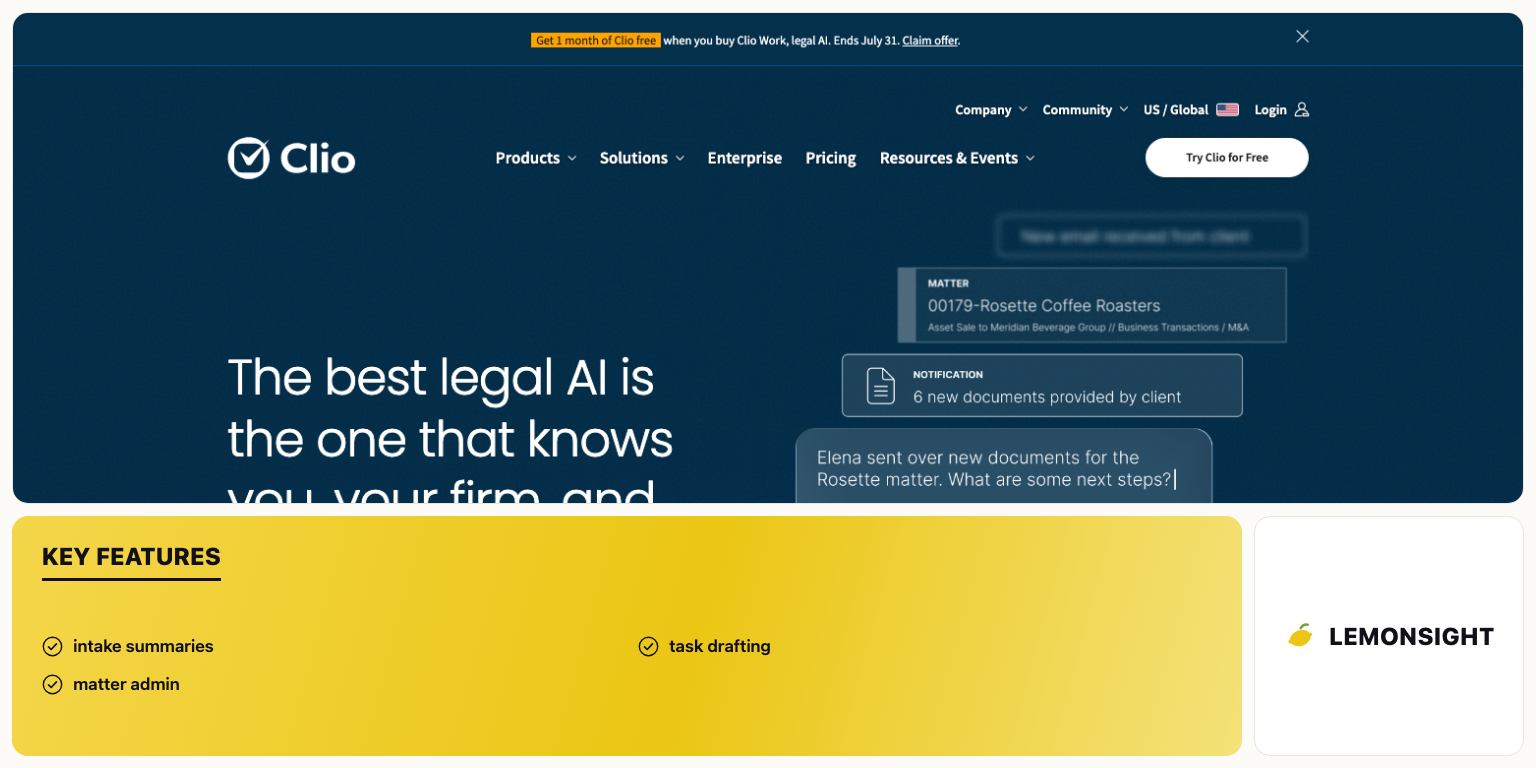
9 Clio Duo Intake and admin From $39/user/mo Read review →
10 ChatGPT / Claude Non-confidential drafting Free, Plus/Pro $20/mo Read review →

Reviewed & ranked

Each tool: our take, the key facts, and where to go next. Ranked best first.

What is CoCounsel?

CoCounsel reviewed by LemonSight

CoCounsel is a legal AI platform from Thomson Reuters that runs research, contract review and litigation preparation against the Westlaw corpus, and CoCounsel is the best overall AI tool for grounded legal research. Thomson Reuters acquired Casetext, the original developer, in 2023, then rebuilt the product on Anthropic’s Claude Agent SDK.

CoCounsel ranks first because it is the only product in the roster that scores well on all 6 criterion groups at once. Research grounds in the Westlaw corpus, which satisfies the heaviest-weighted criterion. Coverage spans research, contract review and deposition preparation in one licence, so the platform touches more of a firm’s workload than any specialist tool below it. Pricing is published at a per-seat rate, which no other enterprise-tier product here does, so a firm calculates cost before entering a sales process. Harvey matches CoCounsel on grounding and beats it on raw document-review volume, yet Harvey is quote-only, four-figure per seat, and offers no trial, which costs Harvey the 15% of weighting covering firm-size suitability and pricing. Lexis+ with Protégé and Westlaw Precision AI are equally well grounded and narrower, because both are research platforms first, where CoCounsel spans research, transactional review and litigation prep.

Grounded legal research in CoCounsel means the tool retrieves passages from the Westlaw database before generating an answer, then writes the answer around what it retrieved and links back to the record. Retrieval before generation is the difference between an answer a lawyer verifies in a click and an answer that merely reads like law. Building the product on an agent framework means CoCounsel executes multi-step instructions rather than single exchanges. The platform locates authorities, reads them, compares them, then produces the output document. A lawyer no longer sequences those steps by hand. Contract review reads an uploaded agreement, identifies clauses by type, then reports what is missing or off-standard. Deposition preparation builds outlines and summarises testimony against the record, the highest-volume structured task in litigation preparation.

CoCounsel suits mid-sized and large firms with mixed practices, meaning litigation and transactional work in the same building, because one licence covers both sides of the workload. The platform suits any firm already paying for Westlaw, because the corpus is the one their lawyers already cite from. A solo practice is the poor fit: at $225 per user per month, annual cost per lawyer reaches $2,700, a material line item for a one-person firm.

The Core plan runs $225 per user per month and covers AI research, contract review and deposition preparation. The Core rate sits above Paxton AI and Alexi, and far below Harvey’s four-figure seats, which places CoCounsel in the mid-market position its firm-size fit implies. Full detail sits in the CoCounsel profile.

CoCounsel is the strongest all-round AI tool for lawyers, because it grounds its research and still covers the widest range of legal tasks at a price a firm verifies in advance. Harvey ranks second rather than first for one reason: Harvey is better than CoCounsel at one very large task, and worse at being bought.

Pros & cons

Pros

  • Grounded output from the Westlaw corpus, the deepest US case-law database.
  • Broadest task coverage in the roster, spanning research, contract review and litigation prep.
  • Published per-seat pricing, unlike every other enterprise-tier product here.
  • Strong fit for existing Westlaw subscribers, with no second corpus to license.

Cons

  • No independently published error rate, because the 2024 Stanford RegLab study reported no figure for CoCounsel.
  • Per-seat cost of $225 per month, which prices out most solo practices.
  • Reliance on the Westlaw corpus, whose separate AI research product recorded the highest error rate in that study.
  • Enterprise feature set carrying configuration and training load a small firm absorbs alone.

Key features

  • Grounded research across the Westlaw corpus, with citations linking to the primary record.
  • Agentic multi-step workflows that complete a task end to end.
  • Contract review that identifies clauses by type and flags non-standard terms.
  • Deposition preparation that builds outlines and summarises testimony against the record.

What is Harvey?

Harvey reviewed by LemonSight

Harvey is an enterprise legal AI platform built for large-firm document work, and Harvey is the best AI tool for large-firm bulk diligence. Revenue reached roughly $190M annually and valuation reached roughly $11B by early 2026, which makes Harvey the most heavily capitalised specialist in the category.

Harvey ranks second because it wins the capability comparison and loses the accessibility one. On document analysis at volume Harvey outperforms every other product here, CoCounsel included, because the architecture is designed for review sets measured in tens of thousands of documents. AmLaw diligence and large-matter discovery operate at exactly that scale. Holding Harvey at second are the 15% of weighting covering firm-size suitability and pricing, plus part of the enterprise deployment score. Pricing is quote-only at four figures per seat, an implementation phase precedes production use, and no free trial exists, so a firm commits budget before seeing output on its own matters. CoCounsel reaches a far wider set of buyers at a published rate while grounding its research equally, which is why CoCounsel holds first place.

A multi-agent workflow means Harvey runs several specialised agents over one task instead of a single model answering in one pass. On a diligence set, one agent classifies documents by type, a second extracts the provisions in scope, a third checks them against the deal’s criteria, and a fourth assembles the summary. The division matters for 2 reasons. Each agent is tuned for a narrower job than a general model, and the work parallelises, so review time scales with compute rather than with reviewer headcount. Parallel specialised review is the difference between reading a sample of a data room and reading the whole of it. Custom deployment means the platform is configured against a firm’s own precedent documents and matter structure, so output reflects that firm’s drafting conventions rather than generic ones.

Harvey suits AmLaw-scale litigation and transactional teams, plus in-house legal departments at large corporates, where matters routinely exceed what a review team reads. The buyers who gain most run an innovation or knowledge-management function, because configuration is part of the value and someone has to do it. Solo and small firms are the poor fit: four-figure seats plus implementation exceed the technology budget of a practice with a handful of lawyers, and the product assumes internal support that does not exist there.

Harvey prices at four figures per seat plus implementation, by quote. Harvey’s rate sits an order of magnitude above CoCounsel’s $225 per user per month. The solo and small-firm segment is priced out entirely, stated plainly here because pricing transparency is one of the criteria. See the Harvey profile for platform detail.

Harvey is the correct choice when document volume is the binding constraint and budget is not. Lexis+ with Protégé follows in third place, because the discussion returns to research accuracy, where Lexis holds something neither CoCounsel nor Harvey has: an independently measured error rate.

Pros & cons

Pros

  • Highest document-review capacity of any tool in this ranking.
  • Multi-agent architecture handling diligence volumes a review team cannot read.
  • Deep customisation against firm precedent, which raises output quality on repeat work.
  • Enterprise-grade security posture for client security questionnaires.

Cons

  • Quote-only pricing at four figures per seat, with no published rate to plan against.
  • Implementation phase before production use, adding cost in internal hours.
  • No free trial, so the firm commits before testing on its own matters.
  • Poor fit for solo and small firms on both price and support assumptions.

Key features

  • Multi-agent workflows that split a large review into specialised parallel tasks.
  • Bulk diligence and discovery review across very large document sets.
  • Custom deployment configured against a firm’s own precedents and matter structure.
  • Enterprise security and access controls suited to outside-counsel guidelines.

What is Lexis+ with Protégé?

Lexis+ with Protégé reviewed by LemonSight

Lexis+ with Protégé is LexisNexis’s legal AI platform for research and drafting, grounded in the Lexis corpus, and Lexis+ with Protégé is the best AI tool for lawyers already on Lexis. LexisNexis renamed the product from Lexis+ AI on 24 February 2026, then extended it into an end-to-end workflow platform.

Lexis+ with Protégé ranks third because its predecessor holds the best independently measured accuracy figure in the category. In the May 2024 Stanford RegLab study, Lexis+ AI returned incorrect information on 17% of queries, against 34% for the Westlaw AI research product. Lexis+ AI and the Westlaw research product are the only tools in this roster with a published independent measurement. The 17% figure is the strongest single piece of accuracy evidence available on any product here, and it places Lexis+ with Protégé above Westlaw Precision AI. Two limits cap the position. Pricing is quote-based, which scores lower than CoCounsel on pricing transparency. The 17% figure belongs to Lexis+ AI as tested in 2024 rather than to Protégé as shipped in 2026, LexisNexis disputed the study’s methodology, and the product has been substantially rebuilt since. An accuracy number measured on a predecessor counts as evidence without counting as a current measurement.

Grounding in the Lexis corpus means retrieval runs against LexisNexis’s own licensed database of decisions, statutes and secondary material before generation, then the answer cites into that database. For a Lexis subscriber the practical consequence is that the tool cites from the corpus the firm already pays for and already cites in filings. Verification therefore lands on records the lawyer holds access to rather than on a source behind a second paywall. The Protégé workflow layer extends the product beyond question-answering into drafting and document tasks, which is what the February 2026 rename marked.

Lexis+ with Protégé suits firms of any size already running a Lexis subscription, because the product adds AI capability on top of an existing corpus contract rather than introducing a second research vendor. An existing subscription resolves the corpus-coverage criterion and the integration criterion together: the material is already licensed, and the lawyers already read those citations. Litigation and general practice research are the strongest use cases. Westlaw-based firms are the poor fit, because those firms would buy into a corpus they do not otherwise use.

Pricing is quote-based per seat, normally negotiated alongside an existing Lexis subscription, so the marginal cost for a current subscriber differs from the position a new customer sees. Full detail sits in the Lexis+ with Protégé profile.

Lexis+ with Protégé is the strongest research choice for a firm already inside the Lexis ecosystem, and it carries the best accuracy evidence in the category even with the date gap noted. Westlaw Precision AI ranks fourth for the inverse reason: the same category of product on a deeper corpus, with the worse measured error rate.

Pros & cons

Pros

  • Lowest independently measured error rate of the 2 tools tested in 2024, at 17%.
  • Grounded in the Lexis corpus, citing material the firm already licenses.
  • No second research vendor required for existing Lexis subscribers.
  • Availability across firm sizes rather than restriction to enterprise buyers.

Cons

  • Quote-based pricing with no published per-seat rate.
  • Measured 17% figure applying to Lexis+ AI in 2024 rather than to Protégé in 2026.
  • Weaker value for firms standardised on Westlaw, which would license a second corpus.
  • Narrower task coverage than CoCounsel, which spans transactional and litigation prep in one licence.

Key features

  • Grounded research across the LexisNexis corpus of decisions, statutes and secondary material.
  • Drafting and document workflows added under the Protégé release.
  • Citation links into records a Lexis subscriber already holds access to.
  • Coverage spanning solo practitioners to large firms on one platform.

What is Westlaw Precision AI?

Westlaw Precision AI reviewed by LemonSight

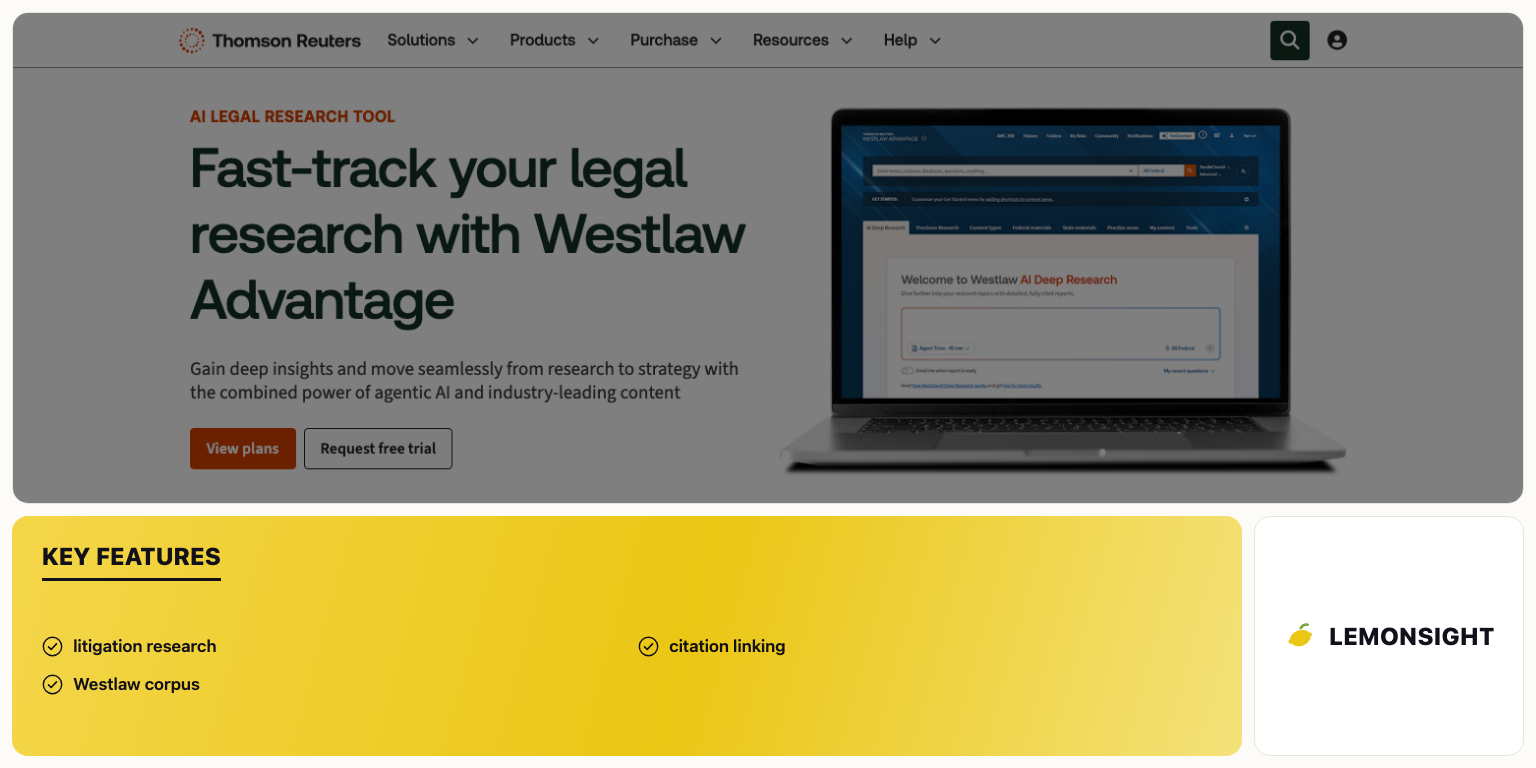
Westlaw Precision AI is Thomson Reuters’s AI research layer over the Westlaw database, and Westlaw Precision AI is the best AI tool for litigation case-law research. The product combines AI-generated answers with Westlaw’s citation infrastructure, so each statement resolves to a record in the primary source.

Westlaw Precision AI ranks fourth on corpus strength and falls short on measured accuracy. Westlaw holds the deepest US case-law corpus, with the citation and treatment apparatus litigators rely on to check whether an authority still stands, which scores strongly on jurisdiction coverage and citation reliability. In the May 2024 Stanford RegLab study, the Westlaw AI research product returned incorrect information on 34% of queries, double the 17% recorded for Lexis+ AI. Thomson Reuters disputed the study’s methodology, and the product has shipped major releases since, yet the figure remains the only independent measurement published for it. The product ranks above Paxton AI because the corpus and citation infrastructure run deeper and the enterprise deployment is more mature. The product ranks below CoCounsel because CoCounsel wraps the same Westlaw corpus in materially broader task coverage.

Citation linking means each generated proposition carries a link to the Westlaw record behind it, together with the treatment history showing whether later courts followed, distinguished or overruled it. Treatment history separates legal citation verification from ordinary source-checking, because a case can exist, be quoted correctly, and still be bad law. Litigation research support means the product is tuned for the questions litigators ask: what controls in this jurisdiction, how a standard has been applied, and what authority exists on a given fact pattern.

Westlaw Precision AI suits litigators and appellate practitioners in firms of any size already subscribed to Westlaw, particularly where jurisdictional depth and treatment history outweigh transactional features. Research-led work fits better than contract-led work. A Lexis-standardised firm is the poor fit, and a firm wanting one product across research, contracts and depositions is served better by CoCounsel.

Pricing is quote-based per seat and normally bundled into a Westlaw subscription, so incremental cost depends on the existing contract rather than on a list rate. See the Westlaw Precision AI profile for platform specifics.

Westlaw Precision AI is the research tool of choice for litigators inside the Westlaw ecosystem, with the 34% figure making verification non-optional rather than making the tool unusable. Paxton AI ranks fifth, the point in this ranking where price transparency stops being a footnote and becomes the deciding factor.

Pros & cons

Pros

  • Deepest US case-law corpus and jurisdictional coverage in the roster.
  • Citation and treatment infrastructure making verification fast and complete.
  • Strong fit for litigation and appellate research specifically.
  • Mature enterprise deployment and support from an established vendor.

Cons

  • Highest measured error rate of the tools independently tested in 2024, at 34%.
  • Quote-based pricing with no published per-seat rate.
  • Narrower coverage than CoCounsel, which spans the same corpus plus contracts and depositions.
  • Limited value for firms standardised on Lexis.

Key features

  • Grounded research across the Westlaw case-law and statutory corpus.
  • Citation linking with treatment history for verifying that authority still stands.
  • Litigation-oriented research tuned to jurisdictional and standard-of-review questions.
  • Availability from solo practitioners through to large firms.

What is Paxton AI?

Paxton AI reviewed by LemonSight

Paxton AI is a legal AI platform covering research, drafting and document analysis for smaller practices, and Paxton AI is the best AI tool for solo and small firms. Research grounds in a verified legal database, and pricing is published, which no other grounded research product in this roster does.

Paxton AI ranks fifth as the highest-placed product a solo practitioner buys without a sales process. Grounding clears the heaviest criterion, which keeps Paxton AI inside the top five ahead of every specialist below. Pricing transparency and firm-size fit go to Paxton AI outright, on a published rate from $99 per month against Harvey’s quote-only four-figure seats and the quote-based pricing at Lexis and Westlaw. Three counts cap the position at fifth. The corpus is smaller than the Westlaw and Lexis databases, which costs points on jurisdiction coverage. Enterprise deployment and support depth run lighter than the incumbents’, which matters at scale. No independently published accuracy measurement exists, so the grounding claim rests on architecture rather than on measured output.

Grounded research on a smaller corpus behaves the same way architecturally as on Westlaw or Lexis, with retrieval first, generation second, and citations into the record. The difference appears at the edges of coverage rather than in the mechanism. The distinction matters for buyers: the accuracy risk with a smaller corpus is usually a thin answer in a sparsely held jurisdiction rather than a fabricated case. Document analysis reads uploaded files and answers questions against them, covering the review work a small firm otherwise does line by line.

Paxton AI suits solo practitioners and firms of 2 to 10 lawyers, for reasons that follow from the criteria rather than from the label. Published pricing lets the firm budget without a procurement cycle. Per-seat cost from $99 per month sits an order of magnitude below Harvey and well below CoCounsel’s $225. Onboarding is self-serve, so no implementation project waits for a firm with no IT function to run one. The feature set targets the work small firms do most, meaning research, drafting and reading documents, rather than enterprise diligence at volume.

Pricing starts at $99 per month and is published, the single fact that defines this position in the ranking. Against CoCounsel’s $225 per user per month a two-lawyer firm saves materially. Against Harvey the comparison does not arise, because Harvey does not sell into this segment. Details sit in the Paxton AI profile.

Paxton AI is the realistic grounded-research choice for a practice buying from a fixed budget. Paxton AI closes the general-purpose tier: the 5 products below are specialists, ranked on how much of a firm’s workload they cover rather than on research accuracy, because none of them attempts full legal research.

Pros & cons

Pros

  • Published pricing from $99 per month, the only grounded research tool here with a public rate.
  • Grounded research architecture at a small-firm price point.
  • Self-serve onboarding with no implementation phase.
  • Feature set matched to solo and small-firm workloads.

Cons

  • Smaller corpus than Westlaw or Lexis, with thinner coverage at jurisdictional edges.
  • No independently published accuracy measurement.
  • Lighter enterprise deployment, permissioning and support than the incumbents.
  • Weaker fit for large-scale diligence than Harvey or CoCounsel.

Key features

  • Grounded legal research with citations into a verified legal database.
  • Drafting support for routine documents and correspondence.
  • Document analysis against uploaded files.
  • Published per-seat pricing with self-serve onboarding.

What is Spellbook?

Spellbook reviewed by LemonSight

Spellbook is a contract drafting and review assistant that runs inside Microsoft Word, and Spellbook is the best AI tool for contract drafting and review. The tool works against a corpus of contract language rather than case law, which defines both its strength and its ceiling.

Spellbook ranks sixth and opens the specialist tier, because contract drafting and review is the highest-volume repeatable legal task across transactional practice and in-house work. Spellbook therefore touches more of a typical firm’s workload than any other specialist here. Within transactional drafting the tool outperforms every product ranked above it, CoCounsel included, because it works in the document rather than beside it. A top-five position stays out of reach because there is no case-law grounding, and case-law grounding carries 30% of the weighting. Spellbook answers what a clause needs to say, not what the governing authority holds, a different question answered well. Quote-only pricing costs further points on the pricing criterion.

In-Word operation means Spellbook runs as an add-in inside the document a lawyer is already drafting, so no copy-paste step sits between the agreement and a browser window. Removing that step removes a workflow friction and a second location where client text sits. Clause benchmarking compares a draft clause against comparable provisions in the contract corpus, then flags language that is missing, unusual or one-sided relative to that set. Benchmarking of that kind is contract intelligence rather than legal research, answering a market-standard question rather than a legal-authority question. Redlining generates suggested revisions in tracked changes, so output arrives in the form a counterparty expects.

Spellbook suits transactional lawyers, commercial contract teams and in-house counsel who spend most of their time in Word on agreements rather than in a research database on authorities. Solo through mid-sized practices doing volume contract work fit well. Litigators are the poor fit, because no case-law corpus sits behind the product, and Spellbook replaces no research tool for any practice that files briefs.

Spellbook prices by quote through a sales demonstration rather than by published per-seat rate, and third-party summaries report minimum contract terms on team and enterprise plans. Confirm the current rate and term directly with the vendor. See the Spellbook profile for capability detail.

Spellbook is the right purchase for a practice whose bottleneck is contract volume rather than case-law research. GC AI ranks seventh, covering a comparable breadth of recurring work for a narrower audience and with weaker grounding.

Pros & cons

Pros

  • Strongest contract drafting and review capability in the roster.
  • Operation inside Word, removing copy-paste from the drafting workflow.
  • Clause benchmarking that surfaces off-market and missing terms.
  • Output delivered as tracked changes, ready for negotiation.

Cons

  • No case-law grounding, so legal research and citation work go unsupported.
  • Quote-based pricing with no published per-seat rate, contrary to earlier third-party figures.
  • Reported minimum contract terms on team and enterprise plans.
  • Value limited to transactional practice, with no litigation coverage.

Key features

  • In-Word add-in that drafts and reviews inside the live document.
  • Clause suggestions benchmarked against a corpus of comparable agreements.
  • Redlining in tracked changes for counterparty-ready markup.
  • Missing-term detection against standard forms for the agreement type.

What is GC AI?

GC AI reviewed by LemonSight

GC AI is a legal AI assistant built for corporate legal departments, and GC AI is the best AI tool for in-house legal teams. The product centres on the recurring workload of in-house counsel, including contract triage, internal advice drafting, and questions against the company’s own documents.

GC AI ranks seventh for covering a broad slice of one buyer’s work rather than a narrow slice of everyone’s, which places the product below Spellbook and above the single-workflow tools. Grounding is partial, because retrieval runs against the company’s own contract and policy repository rather than a verified case-law corpus. The tool answers what the company agreed and what its policy says rather than what the law holds. Partial grounding scores on the document-analysis criterion and not on the case-law grounding criterion, which keeps GC AI outside the top five. The audience is narrower than Spellbook’s, because in-house departments form a subset of the buyers who draft contracts.

Document connectors give the tool read access to the company’s contract repository, policy library and drives, so answers reflect that company’s precedents rather than generic language. Connector-based retrieval is the in-house analogue of case-law grounding, because the authoritative source for an in-house question is frequently the company’s own executed agreement, and a tool without access to it guesses. Contract triage classifies inbound agreements by type and risk, so routine documents route to a template response and unusual ones reach a lawyer. Triage addresses the volume problem specific to a small department serving a large business. Internal advice drafting produces the memos and guidance notes in-house counsel write repeatedly for business teams.

GC AI suits in-house legal departments, particularly small teams supporting large commercial operations, where request volume rather than legal complexity is the constraint. In-house teams gain because the tool works from the company’s own document set, so output matches established positions rather than restating general principles. Law firms billing external clients are the poor fit, because the workflows assume a single organisation’s documents, and GC AI replaces no research platform for litigation work.

GC AI prices by quote, positioned for corporate legal departments rather than per-seat self-serve purchase. The GC AI profile covers deployment detail.

GC AI is the strongest choice for a corporate legal department whose workload is inbound contracts and internal questions. Alexi ranks eighth on the reverse trade-off: proper case-law grounding applied to a single workflow.

Pros & cons

Pros

  • Answers grounded in the company’s own executed agreements and policies.
  • Contract triage that absorbs high request volume in a small department.
  • Drafting tuned to recurring internal advice rather than court filings.
  • Deployment scoped to one organisation, which simplifies access control.

Cons

  • Partial grounding centred on internal documents rather than verified case law.
  • Audience limited to in-house teams, with no fit for firms billing external clients.
  • Quote-based pricing with no published rate.
  • No litigation research or citation verification capability.

Key features

  • Document connectors into a company’s contract repository and policy library.
  • Contract triage that classifies inbound agreements by type and risk.
  • Internal advice and memo drafting for business-team requests.
  • Workflows organised around a legal department’s recurring queue.

What is Alexi?

Alexi reviewed by LemonSight

Alexi is a legal research platform that produces litigation research memos grounded in case law, and Alexi is the best AI tool for litigation memos. The platform takes a legal question and returns a structured memo with the governing authorities and the analysis.

Alexi ranks eighth despite better grounding than the 2 products above it, because the specialist tier is ordered on workload coverage rather than accuracy. Alexi does one thing, the litigation research memo, for one audience, litigators. Spellbook and GC AI each cover a wider band of recurring work for a wider set of buyers, so both touch more of a firm’s week. Where Alexi does compete, it competes well: output grounds in case law, which Spellbook and Clio Duo do not, and pricing publishes from $79 per month, which GC AI and Spellbook do not. A top-five position stays out of reach because a single-workflow product cannot serve as a firm’s research platform, and no independently published accuracy measurement exists.

Memo generation means the tool takes a framed legal question and produces the document a litigator would otherwise assign to an associate, covering issue, applicable authorities, analysis and conclusion, with citations. A memo is a different unit of output from an answer in a chat window, and the distinction matters because the memo is the artefact a litigation team circulates. Case-law grounding works as in the research platforms above, with retrieval from a corpus of decisions preceding generation, so citations resolve to real records a lawyer verifies in the primary source before relying on them.

Alexi suits litigators in small and mid-sized firms who need research memos without the associate hours or the enterprise licence. The fit is a budget and format match: a published $79 monthly rate against quote-based enterprise pricing, and a finished memo rather than a research interface a lawyer then writes up. Transactional practices are the poor fit, because no memo workload exists there, and a firm needing one platform across research, contracts and administration is served better elsewhere.

Pricing starts at $79 per month, below Paxton AI’s $99 and well below CoCounsel’s $225, which reflects the narrower scope rather than a discount on comparable capability. See the Alexi profile for detail.

Alexi is a targeted purchase for litigation teams that want memos produced and run research elsewhere. Clio Duo ranks ninth, leaving legal analysis behind altogether and automating the administrative half of practice instead.

Pros & cons

Pros

  • Case-law grounding, unlike the other specialist tools in this tier.
  • Finished memo as the output rather than a chat answer.
  • Published pricing accessible to small and mid-sized litigation practices.
  • Narrow focus that keeps the workflow simple to learn.

Cons

  • Single-workflow product covering research memos only.
  • Relevance to litigators alone, with no transactional capability.
  • No independently published accuracy measurement.
  • No practice management, contract or administrative coverage.

Key features

  • Research memo generation covering issue, authorities, analysis and conclusion.
  • Case-law grounding with citations into decisions.
  • Litigation-focused question handling.
  • Published monthly pricing from $79.

What is Clio Duo?

Clio Duo reviewed by LemonSight

Clio Duo is the AI layer inside the Clio practice-management platform, and Clio Duo is the best AI tool for intake and practice administration. The product works on matter and client data held in Clio rather than on a case-law corpus.

Clio Duo ranks ninth because it performs no legal analysis. No case-law corpus sits behind the product, no research is produced, and no citations are verified, so the criterion carrying 30% of the weighting goes entirely unscored. Two concrete reasons place Clio Duo ahead of the consumer assistants. Operation happens on client data inside a practice-management platform with contractual data handling, where a consumer assistant offers no confidentiality guarantee. Automation covers real recurring work, meaning intake, correspondence and matter tasks, rather than producing drafts a lawyer must treat as unverified.

Practice-management integration means Clio Duo reads and writes the matter data already held in Clio, so the tool works from the firm’s system of record rather than from documents pasted into it. The consequence reaches beyond convenience: client information stays inside the platform the firm already trusts with it. Intake summarisation condenses new-client enquiries into a structured record, so the intake queue is triaged without a lawyer reading every enquiry in full. Task and correspondence drafting generates the routine documents and matter tasks that consume administrative time in a small practice, where no support staff absorbs them.

Clio Duo suits solo and small firms already running Clio, because the product is an add-on to a platform they operate rather than a new system to adopt. No migration, no second vendor, no separate login, and administration handled where matters already live. Practices whose bottleneck is client and matter volume rather than legal complexity fit best. Any firm needing research or citation work is the poor fit, and firms outside Clio gain nothing.

Clio Duo starts at $39 per user per month as a Clio add-on, the lowest published rate among the purpose-built tools here, consistent with a product that automates administration rather than legal analysis. The Clio Duo profile covers platform detail.

Clio Duo is the cheapest genuine time saving in this ranking for a small firm already on Clio, provided nothing about it is mistaken for legal research. ChatGPT and Claude rank tenth for the opposite reason: both generate legal-looking text without the grounding or confidentiality that makes legal-looking text safe to use.

Pros & cons

Pros

  • Automation of administrative work that consumes small-firm time.
  • Operation inside Clio, requiring no new platform or migration.
  • Client data handled under practice-management contractual terms.
  • Published add-on pricing from $39 per user per month.

Cons

  • No case-law grounding and no legal research capability.
  • Requirement for an existing Clio subscription, offering nothing to other firms.
  • No substantive legal analysis of any kind.
  • Value confined to intake and administration.

Key features

  • Intake summarisation that triages new client enquiries.
  • Task and correspondence drafting inside the matter record.
  • Matter administration across the Clio practice-management platform.
  • Operation on practice data already held in the firm’s system of record.

What is ChatGPT and Claude?

ChatGPT and Claude reviewed by LemonSight

ChatGPT and Claude are general-purpose consumer AI assistants, and both are general assistants for non-confidential drafting only. Each drafts and summarises general text competently, and neither is a legal AI tool.

ChatGPT and Claude rank tenth for failing the 2 criteria that matter most in legal use, in the same way and for the same architectural reason. Neither grounds in a case-law database, so citations are generated by predicting what a citation looks like rather than by retrieving one, which produces references in correct format for cases that do not exist. The consumer tiers carry no confidentiality guarantee for client information, which is the practical bar for entering client data at all. Every purpose-built tool above them clears at least one of these criteria, and these clear neither. Both appear in the ranking rather than being omitted, because lawyers use them, and the honest position is a caveat rather than silence.

A consumer AI assistant is a general language model with no retrieval step against a verified legal corpus. Asked for authority, the model produces text matching the statistical shape of a citation, with a plausible reporter, a plausible year, plausible party names, and no record behind any of it. Output of that kind is what a legal hallucination is, and careful prompting does not remove it, because nothing in the architecture checks the answer against a real corpus. The confidentiality problem is equally structural. Consumer terms make no commitment that matter material stays excluded from retention or training, so the protection a lawyer’s duty requires is simply absent.

ChatGPT and Claude suit lawyers doing non-confidential general work, such as a first pass at a client-facing article, a plain-English explanation of a concept, an outline structure, or prose tightening with no client facts involved. Used that way both tools are useful and inexpensive. Used on client material or for authority, both become the highest-risk option in this ranking.

A free tier exists, with Plus or Pro plans at $20 per month. The gap between $20 and CoCounsel’s $225 per user per month measures the corpus licence, the retrieval infrastructure and the confidentiality commitment a consumer assistant does not carry. See the ChatGPT profile for general product detail.

ChatGPT and Claude are useful for non-confidential first drafts and never for final citations. Client data must not go into a consumer assistant with no confidentiality guarantee, under ABA Model Rule 1.6. With the ranking established, the next section sets out the criteria that produced it.

Pros & cons

Pros

  • Lowest cost of any option here, with a usable free tier.
  • Strong general drafting and summarising quality.
  • No procurement, deployment or training requirement.
  • Usefulness for non-confidential first drafts and structural work.

Cons

  • No case-law grounding, and fabricated citations that appear genuine.
  • No confidentiality guarantee for client information on consumer tiers.
  • No citation linking, so nothing in the output is verifiable in place.
  • No legal workflow, integration or matter-level access control.

Key features

  • General drafting and summarising across non-legal text.
  • Outlining and restructuring of documents with no client facts.
  • Plain-language explanation of concepts.
  • Free tier with paid consumer plans at $20 per month.

What Makes an AI Tool the Best for Lawyers?

An AI tool for lawyers is judged on 18 criteria grouped into 6 areas: research accuracy and case-law grounding, document and drafting capability, confidentiality and security, workflow automation and integrations, firm-size fit and cost, and enterprise deployment. The ranking above scores every AI tool for lawyers against these 18 criteria, and the criteria carry unequal weight. Grounding in a verified legal database outranks every other factor, because grounding decides whether a lawyer can file behind the output. A tool that automates well and cites a case that does not exist is worse than no tool. The error arrives inside work product that carries a signature.

The 6 groups below define each criterion and state why it changes the outcome of legal work.

Research accuracy and case-law grounding

Research accuracy and case-law grounding decide whether an AI tool for lawyers is usable in filed work at all. The group carries 30% of the weighting, the heaviest share.

  • Legal research accuracy is the rate at which a tool returns the correct governing authority and states its holding correctly. Accuracy matters more in legal work than in most software categories. The cost of an error is not a wasted minute. The cost is a misbriefed argument, a missed controlling case, or a sanction. Accuracy is the one attribute a vendor demonstration cannot show, because a demonstration runs the queries the vendor chose.
  • Verified case-law grounding is retrieval of the answer from a licensed database of real decisions and statutes before the model writes anything. A grounded AI tool for lawyers looks the authority up first, then drafts around what it found. An ungrounded tool predicts the wording an authority would use. Prediction is how citations that match the format of a real case but do not exist get produced. Grounding is the largest single determinant of citation accuracy, and grounding is why a paid legal research product errs less often than a consumer chatbot.
  • Citation reliability is whether every generated statement links to a record a lawyer can open, and whether that record supports the statement. A tool that names a case differs from a tool that links the passage it relied on. Citation reliability converts verification from a research project into a click, which makes verification realistic under deadline.
  • Jurisdiction coverage is the breadth of the corpus behind the tool: which courts, which states or countries, which statutory material, and how quickly new decisions are added. Coverage matters because a tool grounded in federal and large-state material gives thin answers on a jurisdiction it barely holds, in the same confident wording. A lawyer practising outside the corpus receives the appearance of an answer without the substance of one.

Document, contract and litigation capability

Document, contract and litigation capability decide how much of a firm’s actual workload the tool touches once accuracy is established. The group carries 20% of the weighting.

  • Contract review capability is the tool’s ability to read an agreement, identify each clause by type, flag missing or non-standard terms, and compare them against a benchmark set of comparable agreements. Contract review is the highest-volume repeatable task in transactional practice. A tool that handles first-pass review returns time on work that recurs weekly rather than once a matter.
  • Drafting quality is whether the generated text works as a first draft or needs rewriting from scratch. Structure and precision measure drafting quality, not fluency. Legal drafting requires defined terms used consistently, cross-references that resolve, and clause language that survives a counterparty’s markup. A tool that writes smoothly and drifts on defined terms costs more in review than it saves in drafting.
  • Document analysis is the extraction of structure and meaning from filings, contracts, correspondence and discovery sets, including dates, parties, obligations, inconsistencies and privilege indicators. Document analysis matters because the volume of material in a mid-sized dispute exceeds what a team reads closely. The practical choice is between machine triage and sampling.
  • Litigation support covers deposition preparation, testimony summarisation, chronology building and memo production. These tasks are structured, repetitive and expensive in associate hours. Litigation support therefore marks the clearest place where automation changes the economics of a matter rather than the comfort of it.

Confidentiality, privacy and security

Confidentiality, privacy and security are where consumer AI assistants fail legal use outright, whatever the output quality. The group carries 15% of the weighting.

  • Privacy and confidentiality is the contractual and technical guarantee that client material entered into the tool is not retained, is not used for model training, and is not exposed to other customers. A lawyer’s duty over client information does not change when the information is pasted into a text box. ABA Model Rule 1.6 governs the protection of client information, and a tool with no confidentiality commitment offers no basis for entering client data into it.
  • Security and compliance covers encryption, access control, audit logging, data residency, and independent attestations such as SOC 2 or ISO 27001. Firms are themselves audited by clients. Corporate legal departments and insurers impose outside-counsel guidelines specifying how vendor systems handle matter data. A tool that cannot answer a client security questionnaire cannot be deployed on that client’s work.

Workflow automation and integrations

Workflow automation and integrations decide whether the tool is used after the pilot ends. The group carries 10% of the weighting.

  • Workflow automation is the chaining of multiple steps into one instruction: retrieve the authorities, read them, compare them, produce the memo. Legal tasks are multi-step by nature. A tool that answers one question at a time leaves the sequencing, and therefore most of the labour, with the lawyer.
  • Integrations are the connections into the systems where legal work already happens, including Microsoft Word, Outlook, document management systems, practice management platforms and contract repositories. Integrations matter more than feature count. A tool that requires copying text out of a document and pasting it into a browser adds a step to every task, and creates a second place where client material sits.

Firm-size suitability, pricing, ease of use and support

Firm-size suitability, pricing, ease of use and support decide whether a firm can buy and run the tool at all. The group carries 15% of the weighting, and the legal AI market is most unequal here.

  • Firm-size suitability is the match between the product’s design and the buyer’s size, measured in seats, IT capacity, matter volume and procurement process. Enterprise legal AI is built for firms with an innovation team and a rollout budget. The same product deployed by a three-lawyer practice arrives without the support structure it assumes.
  • Pricing covers both the amount and its transparency. A published per-seat rate lets a firm calculate cost before contact. Quote-only pricing means a sales process, a term commitment, and a number that varies by negotiation. Transparency matters to small firms specifically, because they buy from a fixed budget rather than an annual technology allocation.
  • Ease of use is the effort required before the tool produces reliable output, including prompt design, configuration and training. Legal AI is bought for lawyers whose billable time is the firm’s product. Hours spent learning a tool are hours the tool must repay before it breaks even.
  • Customer support covers onboarding, training material, response times, and whether support staff understand legal workflows rather than software alone. Support matters most for small firms, which have no internal help desk. Support matters again for litigation teams, where a failure on a filing deadline has no workaround.

Enterprise deployment and scalability

Enterprise deployment and scalability separate products that pilot well from products that survive a firm-wide rollout. The group carries 10% of the weighting.

  • Enterprise deployment is the work required to put the tool into production: single sign-on, permissioning by matter and ethical wall, integration with the document management system, and configuration against firm precedent. Deployment is a real cost paid in internal hours and elapsed months. Enterprise products charge it in addition to licence fees.
  • Scalability is stable behaviour as document volume, user count and matter complexity rise. The tasks that justify legal AI are the large ones, such as a 40,000-document review rather than a two-page memo. A tool that performs on a sample and degrades at volume fails at the point it was bought for.

How these criteria are weighted in this ranking

The 18 criteria carry the weights below, and the weighting explains every position in the ranking that follows.

Criterion groupWeightWhat it decides
Research accuracy and case-law grounding30%Whether the output is usable in filed work
Document, contract and litigation capability20%How much of a firm’s workload the tool touches
Confidentiality, privacy and security15%Whether client data can be entered at all
Firm-size suitability and pricing15%Whether the firm can buy and keep it
Workflow automation and integrations10%Whether it is used after the pilot
Enterprise deployment and scalability10%Whether it survives a firm-wide rollout

Grounding therefore outweighs every capability criterion, and cost outweighs workflow convenience. The ranking applies a second, structural rule, because the ten products are not all the same kind of thing. Positions 1 to 5 are general-purpose legal AI platforms, ranked on grounding first, then breadth of legal task coverage, then accessibility. Positions 6 to 9 are specialist tools, ranked on how much of a firm’s total workload they cover, because none of them attempts full legal research. Position 10 covers general consumer assistants, ranked last for holding no case-law grounding and no confidentiality guarantee.

Two accuracy notes apply throughout and are reported in full in the accuracy section below. Independent error-rate measurement exists for only 2 of these products, from a May 2024 Stanford RegLab study, so 8 of the roster carry no published accuracy figure in either direction. No AI tool for lawyers reaches zero error, which makes citation verification part of the work rather than an optional check.

These 6 criterion groups resolve which AI tool for lawyers ranks where. Task fit is the criterion buyers apply first, and the next section maps each tool to the task it wins.

Best AI Tools by Firm Size

The right AI tool for lawyers depends as much on firm size as on task, because pricing runs from published per-seat plans to four-figure enterprise seats. Paxton AI publishes its pricing and suits solos, CoCounsel’s Core plan runs $225 per user per month, and Harvey’s four-figure seats plus implementation put it out of reach for small firms. Firm size decides the outcome, because the cost of an AI tool for lawyers is not only the licence. Enterprise products add an implementation phase paid in internal hours, and assume support capacity a small practice does not hold. The table below maps each firm size to the tools it realistically deploys.

Firm sizeRecommended toolPrice reality
Solo and smallPaxton AIPublished, from $99/month
Mid-sizeCoCounsel$225/user/month
Large and AmLawHarveyFour-figure per seat, by quote
In-houseGC AIQuote-based

Published pricing appears in the 2 smaller segments and disappears in the 2 larger ones, which tracks how each segment buys software.

Solo and small firms

Paxton AI is the realistic choice, because it publishes its pricing where Harvey does not. Paxton AI grounds research in a verified database at a per-seat rate a solo practitioner plans around, and self-serve onboarding removes the implementation phase a firm with no IT function has no way to run. Clio Duo adds intake and admin automation from $39 per user per month for small firms already on Clio, and Alexi covers litigation memos from $79 per month. Harvey’s four-figure seats and implementation load exclude this segment entirely, so a solo firm compares Paxton AI against Lexis+ with Protégé rather than the enterprise tools. Pricing transparency, onboarding effort and support load decide this segment, because a fixed budget and no help desk turn each of them into a hard constraint rather than a preference.

Large firms and in-house teams

Harvey suits AmLaw-scale bulk diligence, and CoCounsel suits grounded research at $225 per user per month. Harvey handles document-review volumes across large litigation and transactional teams, and its customisation against firm precedent repays the configuration effort where matter volume is high enough to amortise it. CoCounsel grounds research and drafting across a mid-to-large firm at a published rate, which makes it the simpler purchase where diligence volume is not the constraint. GC AI fits a corporate legal department working from its own document set, because in-house questions resolve against company agreements more often than against case law. Each enterprise tool carries an implementation phase, so deployment time forms part of the cost. Scalability, enterprise deployment and security posture decide this segment rather than headline price.

AI Tools for Lawyers Pricing

AI tools for lawyers cost from $39 per user per month for a purpose-built tool to four-figure per-seat enterprise licences, and only 5 of the 10 publish a rate. Pricing splits cleanly along firm size: the tools aimed at solo and small firms publish per-seat rates, and the tools aimed at large firms quote. The table below sets out the plan, price, billing basis, licence scope and trial position for each AI tool for lawyers in this ranking.

ToolPlanPriceBilling basisWhat the price coversTrial
CoCounselCore$225 per user per monthPublished, per seatAI research, contract review, deposition prepYes
HarveyEnterpriseFour figures per seat, plus implementationQuote, annual commitmentMulti-agent review, custom deployment, enterprise controlsNo
Lexis+ with ProtégéPer seatQuote-basedQuote, usually bundled with a Lexis subscriptionGrounded research, drafting and document workflowsYes
Westlaw Precision AIPer seatQuote-basedQuote, usually bundled with a Westlaw subscriptionGrounded research, citation linking, treatment historyYes
Paxton AIEntryFrom $99 per monthPublished, per seatResearch, drafting, document analysisYes
SpellbookTeam and enterpriseQuote-basedQuote, reported minimum termIn-Word drafting, clause benchmarking, redliningDemo
GC AITeamQuote-basedQuote, per departmentContract triage, internal drafting, document connectorsYes
AlexiEntryFrom $79 per monthPublishedLitigation research memosYes
Clio DuoClio add-onFrom $39 per user per monthPublished, per seat, Clio subscription requiredIntake summaries, task drafting, matter adminYes
ChatGPT / ClaudeFree, Plus or Pro$0, or $20 per monthPublished, per userGeneral drafting with no legal corpusYes

The spread runs wide: $39 per user per month at the bottom of the purpose-built range against four-figure seats at the top, a difference of roughly 25 times before implementation is counted. Grounded legal research starts at $99 per month with Paxton AI, and the cheapest entries in the table buy administration or general drafting rather than research. Prices and plan names in this category change often, so confirm every figure with the vendor before buying. Cost is one of 7 checks that decide a purchase, covered next.

How to Choose an AI Tool for Your Firm

Choosing the right AI tool for lawyers means matching task fit, grounding in verified case law, and price per seat to your firm. The 7 criteria below condense the 18-factor framework above into the checks that decide a purchase. Each criterion extends the AI Tools for Lawyers Compared table by weighting a tool against a specific practice. An AI tool for lawyers is best judged against 7 selection criteria, listed below.

  • Task fit: match research, contracts, discovery or admin to the work that fills your week.
  • Grounding in verified case law: confirm the tool retrieves from a real corpus and cites checkable sources.
  • Corpus coverage: check the tool holds your jurisdiction in depth, not federal and large-state material alone.
  • Firm-size fit and price per seat: weigh per-seat cost, implementation hours and support load against your headcount.
  • Confidentiality and data handling: confirm contractual protection for client data before entering any.
  • Integration: check Word, document management and practice-management links, because a tool outside the workflow goes unused.
  • Trial availability: test on your own matters, because a vendor demonstration runs the vendor’s queries.

Weigh grounding, corpus coverage and price against how often these tools still hallucinate and what your confidentiality duty allows, covered below. The next section defines the technology the criteria describe.

What Is Legal AI?

Legal AI is software that performs legal work such as research, review or drafting against a verified case-law database, so its answers cite sources a lawyer can open and check. Legal AI is an AI tool pointed at legal work, the root class it shares with other AI tools. Corpus coverage, citation linking and jurisdiction shape how far it is relied on. Legal AI differs from a general-purpose chatbot by retrieving from a verified corpus, where a general chatbot predicts text and fabricates citations that look real. Legal AI sits alongside other AI business tools in the wider software market. Knowing what legal AI comprises lets you choose one you can file behind.

Legal AI runs on a stack of retrieval and language technologies. A large language model generates the draft answer. Retrieval-augmented generation, or RAG, is the grounding mechanism: the tool retrieves relevant passages from a verified case-law database, then conditions the model’s answer on those passages so the output cites a real source. The order carries the value, because retrieval before generation separates an answer built from authority from an answer built from probability. Legal document analysis parses filings, contracts and discovery sets into structured data the model reads. Contract intelligence extracts clauses, obligations and risks from an agreement, then compares them against comparable agreements. E-discovery technology classifies large document sets for relevance and privilege. Compliance automation checks documents and workflows against a rule set. A legal research system links each generated statement back to primary authority. Grounding is the reason a retrieval-based legal research system errs less than a general chatbot, though neither reaches zero error, and no AI tool replaces the lawyer’s own reading and signature.

Grounded vs general-purpose AI

The main difference between a grounded legal AI tool and a general-purpose chatbot is that a grounded tool retrieves from a verified case-law database, while a general chatbot predicts plausible text. Prediction is why a general chatbot invents citations that look real. A grounded legal AI tool cites a passage a lawyer opens in the primary source. A general chatbot generates a citation matching the format of a real one without retrieving it. Retrieval against a verified corpus is the distinction, and it is the largest single factor in citation accuracy, which is why grounding carries 30% of the weighting in this ranking.

Legal AI terms defined

The terms below appear throughout this guide and across vendor material, and each carries a specific meaning in legal work.

TermDefinitionWhy it matters to a lawyer
Legal AISoftware performing legal work against a verified legal databaseDistinguishes a purpose-built legal product from a general chatbot
Retrieval-augmented generation (RAG)Retrieval of source passages before the model generates an answerThe mechanism making an answer traceable to authority
Case-law groundingRetrieval from a licensed corpus of decisions and statutes specificallyDetermines whether citations resolve to real records
Legal hallucinationA generated citation, quotation or holding with no basis in a real authorityThe failure mode that has produced court sanctions
Legal citation verificationOpening the cited authority in the primary source and confirming it supports the claimThe step converting AI output into filed work
Document intelligenceExtraction of structure and meaning from filings, contracts and correspondenceMakes large document sets reviewable rather than sampleable
Contract intelligenceClause-level extraction and benchmarking across agreementsAnswers market-standard questions in transactional work
Legal research systemA platform linking each generated statement to primary authorityThe category CoCounsel, Lexis+ with Protégé and Westlaw Precision AI compete in
Enterprise legal AILegal AI with firm-level deployment, permissioning and custom configurationCarries implementation cost alongside licence cost
Consumer AI assistantA general model sold to individuals with no legal corpus or confidentiality commitmentHolds no client data safely and supports no citation

Grounding, hallucination and citation verification recur across the accuracy section below, where the measured error rates appear.

Do AI Legal Tools Hallucinate, and Can You Be Sanctioned?

AI legal tools still hallucinate, including the paid ones, and a May 2024 Stanford RegLab study measured a 17% error rate for Lexis+ AI and 34% for Westlaw AI. Hallucination risk tracks grounding rather than brand: a tool retrieving from a verified case-law database errs less than one predicting text, and neither errs at zero. Courts have sanctioned lawyers who filed fabricated AI citations, which makes verification part of the work rather than an optional check. Two qualifications belong with the figures. The study tested Lexis+ AI, the product LexisNexis replaced with Lexis+ with Protégé in February 2026, and both vendors disputed the study’s methodology. Both products have shipped major releases since, and the 2024 figures remain the only independent measurements published for either. The checks below cover where these tools fail, the sanctions position, and what does not delegate. Browse more platforms in the AI tools directory.

Where AI legal tools fall short

AI legal tools fall short across 4 areas: fabricated citations, misread holdings, stale law, and gaps outside the tool’s jurisdiction. A tool generates a citation that does not exist, or misstates what a real case held. The second failure is more dangerous than the first, because a real citation passes a superficial check. Case law updates faster than some corpora refresh, so an answer reflects the law as the database held it rather than as it stands. A tool grounded in one jurisdiction returns thin answers on another in equally confident wording, which is why corpus coverage sits among the ranking criteria. Review outputs against the primary source, and compare related categories in AI business tools.

Do AI legal research tools hallucinate?

Yes, a May 2024 Stanford RegLab study found Lexis+ AI erred on 17% of queries and Westlaw AI on 34%, and these are the paid tools grounded in real case-law databases. The study, titled *Hallucination-Free? Assessing the Reliability of Leading AI Legal Research Tools*, tested retrieval-grounded legal research products rather than consumer chatbots (Stanford RegLab, 2024). Grounding rather than brand is what lowers the rate, and no tool reached zero. Both vendors disputed the methodology, and both products have been rebuilt since the study ran. Confirm the current figures at the source, because vendors update products and results.

Can lawyers be sanctioned for using AI?

Courts have sanctioned lawyers for filing fabricated AI citations, and the rule is simple: never file a citation you have not opened and read in the primary source. Reported sanctions followed briefs citing cases the AI invented. The exposure is not the use of AI. The exposure is the filing of an unverified citation, which is why grounded tools reduce the risk without removing the duty. This guide reports the sanctions position rather than advising on any individual obligation, so confirm your own duties with your bar’s guidance. Verification of every citation stays with the filing lawyer.

What you must still do yourself

Three duties do not delegate to an AI tool for lawyers: reading every citation in the primary source, keeping client data out of consumer chatbots, and your signature on the filing. A lawyer opens and reads each cited authority before filing, because a citation that exists differs from a citation that supports the proposition. Client data must not go into a consumer assistant with no confidentiality guarantee, under ABA Model Rule 1.6. The signature on the filing certifies the work, which no tool carries.

Frequently asked questions

What is the best AI tool for lawyers in 2026?

CoCounsel is the best AI tool for lawyers in 2026 overall, with Harvey best for large-firm diligence and Paxton AI best for solo firms. CoCounsel ranks first for grounding research in the Westlaw corpus, covering research, contract review and deposition prep in one licence, and publishing a per-seat rate. The right AI tool for lawyers depends on task and firm size. The comparison table above ranks all 10 tools with the reasoning for each position.

What is the best AI tool for legal research?

CoCounsel, Lexis+ with Protégé, and Westlaw Precision AI are the best AI tools for legal research, because all 3 ground answers in a verified case-law database. CoCounsel and Westlaw use the Westlaw corpus. Lexis+ with Protégé uses the Lexis corpus and carries the better independently measured error rate. Grounding makes their citations checkable, and citation linking makes checking them fast.

What is the best legal AI for a solo or small firm?

Paxton AI is the best legal AI for a solo or small firm, because it publishes its per-seat pricing. Paxton AI grounds research in a verified database from $99 a month, and onboards without an implementation project, which matters for a firm with no IT function. Clio Duo adds intake and admin for firms on Clio from $39 per user per month. Harvey’s four-figure seats and implementation load price out this segment entirely.

How much do AI tools for lawyers cost?

AI tools for lawyers range from $39 per user per month to four-figure enterprise seats. CoCounsel’s Core plan runs $225 per user per month. Harvey charges four-figure seats plus implementation by quote. Paxton AI publishes rates from $99 a month, Alexi from $79, and Clio Duo from $39 per user. Spellbook, GC AI, Lexis+ with Protégé and Westlaw Precision AI price by quote. The pricing section above sets out the billing basis for each.

Is there a free AI tool for lawyers?

No purpose-built legal AI tool is genuinely free, and the only free options are consumer assistants such as ChatGPT, which carry real risks. Consumer assistants hold no case-law grounding, fabricate citations, and offer no confidentiality guarantee under ABA Model Rule 1.6. They suit non-confidential first drafts only. Grounded legal research requires a paid, corpus-backed tool.

Do AI legal tools hallucinate?

Yes, AI legal tools hallucinate, including the paid ones, and a May 2024 Stanford RegLab study measured 17% for Lexis+ AI and 34% for Westlaw AI. Hallucination tracks grounding rather than brand. A retrieval-grounded tool errs less than a general chatbot, and neither reaches zero. Both vendors disputed the methodology, and both products have shipped releases since. The accuracy section above carries the detail.

Can lawyers be sanctioned for using AI?

Courts have sanctioned lawyers for filing fabricated AI citations. The reported cases involved briefs citing authorities the AI invented. The rule is to open and read every citation in the primary source before filing. This guide reports the position and does not advise on your obligations, so check your bar’s guidance.

Is it safe to put client data into ChatGPT?

Putting client data into ChatGPT is not safe by default, because a consumer assistant offers no confidentiality guarantee. ABA Model Rule 1.6 requires protecting client information, so confidential data belongs only in a tool with contractual confidentiality protections. A consumer assistant suits non-confidential drafting. Confirm the data terms before entering any client information.

What is legal AI?

Legal AI is software that performs legal work against a verified case-law database and cites checkable sources. Legal AI runs on a large language model with retrieval-augmented generation for grounding, which retrieves the authority before writing the answer. Retrieval separates legal AI from a general chatbot, which predicts text and fabricates citations. The grounding makes its output usable in legal work.

Can AI do legal research on its own?

AI retrieves and drafts legal research, and it does not do legal research on its own. A grounded tool finds authorities and drafts a memo, then a lawyer reads every citation in the primary source and signs the work. Verification and judgement stay with the lawyer. No tool replaces that step.

How were these AI tools for lawyers ranked?

The 10 AI tools for lawyers were ranked against 18 criteria in 6 weighted groups, with case-law grounding weighted heaviest at 30%. Document and drafting capability carries 20%, confidentiality and security 15%, firm-size fit and pricing 15%, workflow and integrations 10%, and enterprise deployment 10%. Positions 1 to 5 are general-purpose legal platforms, positions 6 to 9 are specialists ranked on workload coverage, and position 10 covers consumer assistants. The full framework sits in the What Makes an AI Tool the Best for Lawyers section above.

Go to our final verdict

Get exclusive insights and top AI tools
Delivered to your inbox

Subscribe now and stay in the know!