


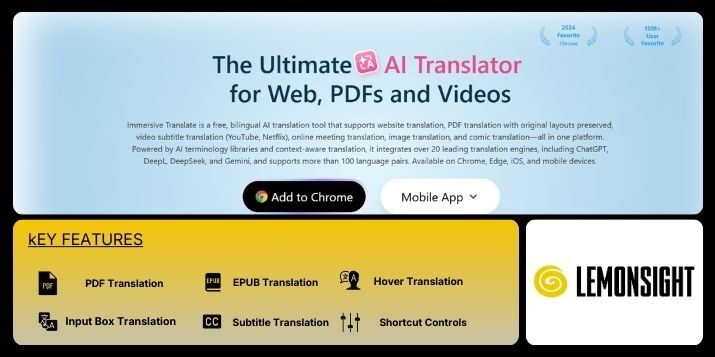
Immersive Translate is an AI-powered translation tool that converts web pages, documents, eBooks, and video subtitles into bilingual reading formats for cross-language content consumption. Immersive Translate processes online content and displays original text alongside translated output within the same interface. The tool targets researchers, students, developers, professionals, and multilingual readers who consume foreign-language material daily. Immersive Translate supports website translation, PDF translation, EPUB translation, and subtitle translation across browsers and mobile devices. Primary modules include webpage bilingual mode, document translation, subtitle processing, hover translation, and engine selection controls. Immersive Translate integrates multiple machine translation engines and allows users to switch engines per task. The system operates through browser extensions, mobile applications, and desktop-supported workflows. Immersive Translate focuses on preserving layout structure while rendering translated content inline for continuous reading without page replacement.
Immersive Translate executes translation through a content-detection workflow that isolates main text blocks from surrounding interface elements. The system scans webpages, documents, or subtitle files and applies sentence-level segmentation before translation. Immersive Translate routes text through selectable engines such as OpenAI, DeepL, Google Translate, and Microsoft Translator. Each engine processes content independently based on user selection. The bilingual rendering module places translated text below or beside the source text. Document workflows support PDF and EPUB uploads with layout retention. Subtitle workflows parse SRT or VTT files and generate synchronized bilingual subtitles. Hover translation enables word-level translation on cursor interaction. Input box translation processes manually entered text. Shortcut controls manage activation states. Immersive Translate operates locally within the browser environment while calling external APIs for translation output.
| Feature | Function |
|---|---|
| Webpage Bilingual Mode | Webpage Bilingual Mode displays original text alongside translated content on web pages. |
| PDF Translation | PDF Translation converts document files into another language while retaining structure. |
| EPUB Translation | EPUB Translation translates eBook files into the selected language. |
| Subtitle Translation | Subtitle Translation processes and translates video subtitle files. |
| Hover Translation | Hover Translation shows word-level translations when users move the cursor over text. |
| Input Box Translation | Input Box Translation translates manually entered text on demand. |
| Engine Selector | Engine Selector routes translation tasks through selected translation engines. |
| Shortcut Controls | Shortcut Controls allow users to manage translation actions through keyboard commands. |
| Plan | Monthly | Annual |
|---|---|---|
| Free | $0 | $0 |
| Pro | Varies by Region | Discounted Annual Billing |
There are no reviews yet. Be the first one to write one.