

Pipedrive Review
A sales CRM built around a visual drag-and-drop pipeline, with workflow automation and an AI Sales Assistant layered on top.
Is Pipedrive Worth It?
Pipedrive is worth it for small B2B sales teams that want a visual deal pipeline running the same day, but it is a poor fit for anyone expecting a free plan. The drag-and-drop pipeline, workflow automation, and AI Sales Assistant cover the sales-CRM core well, and setup takes hours, not weeks. The catch is that the $14/seat/month entry price is not the real price, since LeadBooster, Smart Docs, Projects, Campaigns, and Web Visitors sit outside the base plan on the lower tiers, and deeper automation and forecasting are gated behind Premium and Ultimate.
About Pipedrive
Pipedrive is a sales CRM built around a visual, drag-and-drop pipeline that turns every lead into a card with a stage, an owner, and a next scheduled activity. It targets small and mid-sized B2B sales teams that want a deal board running the same day, rather than a long implementation project. There is no free plan, and access starts with a 14-day trial that requires no credit card.
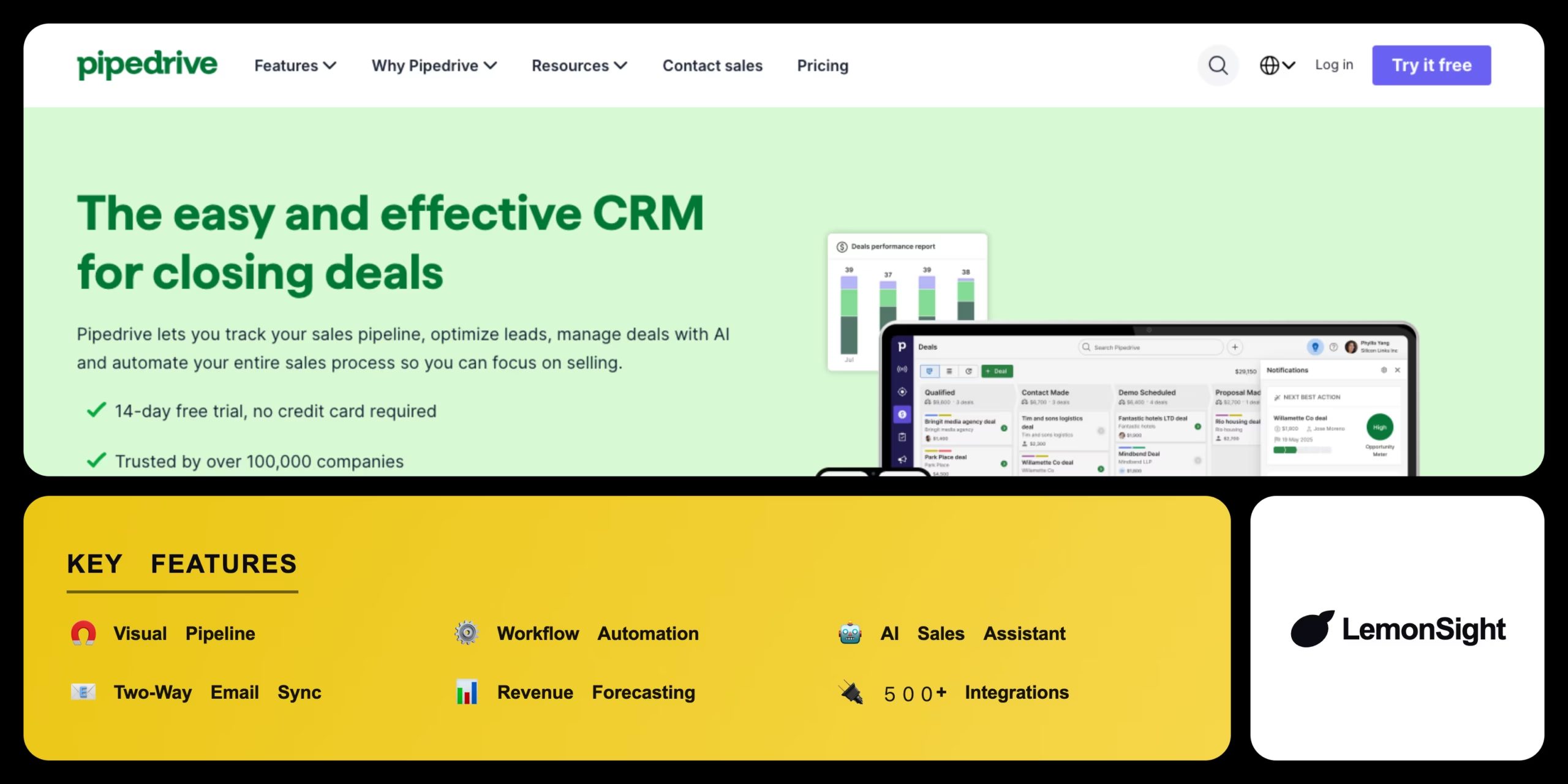
Pipedrive groups its feature set into four areas: the visual pipeline itself, workflow automation with two-way email sync and outbound sequences, an AI layer that includes the AI Sales Assistant and win-probability scoring, and reporting with revenue forecasting and 500+ integrations. Add-ons including LeadBooster, Smart Docs, and Projects come included on Premium and Ultimate but are chargeable extras on Lite and Growth, and Campaigns and Web Visitors are paid add-ons on every plan.
Is Pipedrive safe and compliant?
Pipedrive Trust Center publishes ISO/IEC 27001 and ISO/IEC 27701 certifications, SOC 2 Type 2 and SOC 3 reports, GDPR compliance, and EU-US Data Privacy Framework participation, alongside DORA and EU Data Act alignment. It does not publish a HIPAA attestation or business associate agreement, so teams handling protected health information need a different vendor for that specific workload.
Our Verdict
Pros
- Visual pipeline board that a sales team runs from day one
- Fast setup with a gentle learning curve
- 500+ integrations covering email, calendar, and accounting tools
- 14-day free trial with no credit card required
- ISO 27001 and SOC 2 Type 2 certifications on the Trust Center
Cons
- No free plan, unlike HubSpot and Zoho CRM
- Add-on cost stacking lifts the real bill above the seat price
- Automation depth reserved for the Premium and Ultimate tiers
- Revenue forecasting and custom reports behind higher tiers
- Per-seat billing that scales cost with every rep hired
How It Works
Create pipeline stages
Set up stages that match your sales process.
Add leads and deals
Log leads and deals as cards in the first stage.
Log activities
Sync email so every touch attaches to the deal record.
Automate follow-ups
Build a workflow automation from a template.
Move deals forward
Drag each card through stages until it closes.
Forecast revenue
Track pipeline value against quota in dashboards.
Review performance
Check rep and pipeline stats in custom reports.
Pipedrive Features
Visual Pipeline
Every deal shown as a card in a stage column.
Workflow Automation
Fires activities and field updates on deal events.
AI Sales Assistant
Surfaces deal suggestions and win probability.
Two-Way Email Sync
Connects an inbox to the deal record both ways.
Reporting & Forecasting
Custom reports and revenue forecasting by close date.
Pipedrive Pricing
- Visual deal pipeline
- Deal and contact management
- Web forms and lead scoring
- Mobile app
- Two-way email sync
- Workflow automation
- Outbound sequences
- Meeting scheduler
- Revenue forecasting
- Custom reports
- LeadBooster included
- Smart Docs included
- Security settings and permission sets
- Onboarding support
- Projects included
- Unlimited reporting
Who Is Pipedrive Best For?
Track deals through defined stages to a forecast.
Get structured deal tracking on a single paid seat.
Run several client pipelines side by side.
Pipedrive Alternatives
| Tool | Best for | Price | Notes | Compare |
|---|---|---|---|---|
| HubSpot | Teams that need a genuine free plan | Free plan available | Yes, free tier | vs → |
| Salesforce | Enterprise depth and customization | Enterprise pricing | No free tier | vs → |
| Zoho CRM | Lowest per-seat cost | Lower per-seat pricing | Free tier available | vs → |
| Close | Outbound calling teams | Per-seat subscription | No free tier | vs → |
| Monday CRM | Teams already running work in Monday | Per-seat subscription | Free tier available | vs → |
| Pipedrive — this review | Visual pipeline for small B2B sales teams | $14/seat/mo (Lite, annual) | No free plan |
Pipedrive vs HubSpot
HubSpot runs a genuine free plan and bundles native marketing tools, while Pipedrive charges every seat from day one and sells Campaigns as a paid add-on. Free budget and marketing scope favor HubSpot, same-day pipeline setup on a sales-only tool favors Pipedrive.
Pipedrive FAQ
Is Pipedrive free?
Pipedrive has no free plan. Access starts with a 14-day free trial that requires no credit card, and every seat is paid afterward.
How much does Pipedrive cost?
Pipedrive costs from $14 per seat per month on the Lite plan billed annually, rising through Growth, Premium, and Ultimate, with add-ons priced separately.
Is Pipedrive a CRM?
Yes. Pipedrive is a sales CRM built around a visual deal pipeline, with AI features like the AI Sales Assistant layered on top of that core.
Is Pipedrive HIPAA compliant?
Pipedrive publishes no HIPAA claim on its Trust Center, so teams handling protected health information need a different vendor.
Ready to try Pipedrive?
Start free, or take the trial to explore premium features across all your devices.
Visit Pipedrive →Related Tools

A GTM data platform that builds prospect lists in spreadsheet-style tables and enriches every row by waterfalling queries across 200+ data providers, with Claygent AI agents filling in fields no provider sells.

An omnichannel customer service and sales CRM that centralizes email, chat, social, and phone support into one ticketing workspace with AI-driven routing.

An AI-powered document processing tool that extracts structured data from invoices, receipts, and PDFs into accounting and ERP systems.

A B2B contact database and sales intelligence platform that provides verified direct-dial phone numbers, emails, and buyer-intent signals for sales teams.

An embodied-AI company building general-purpose humanoid robots (Phoenix) and the Carbon AI control system for industrial and commercial labor.

An AI-powered legal assistant that drafts, reviews, and redlines contracts inside Microsoft Word.