

Taste Review
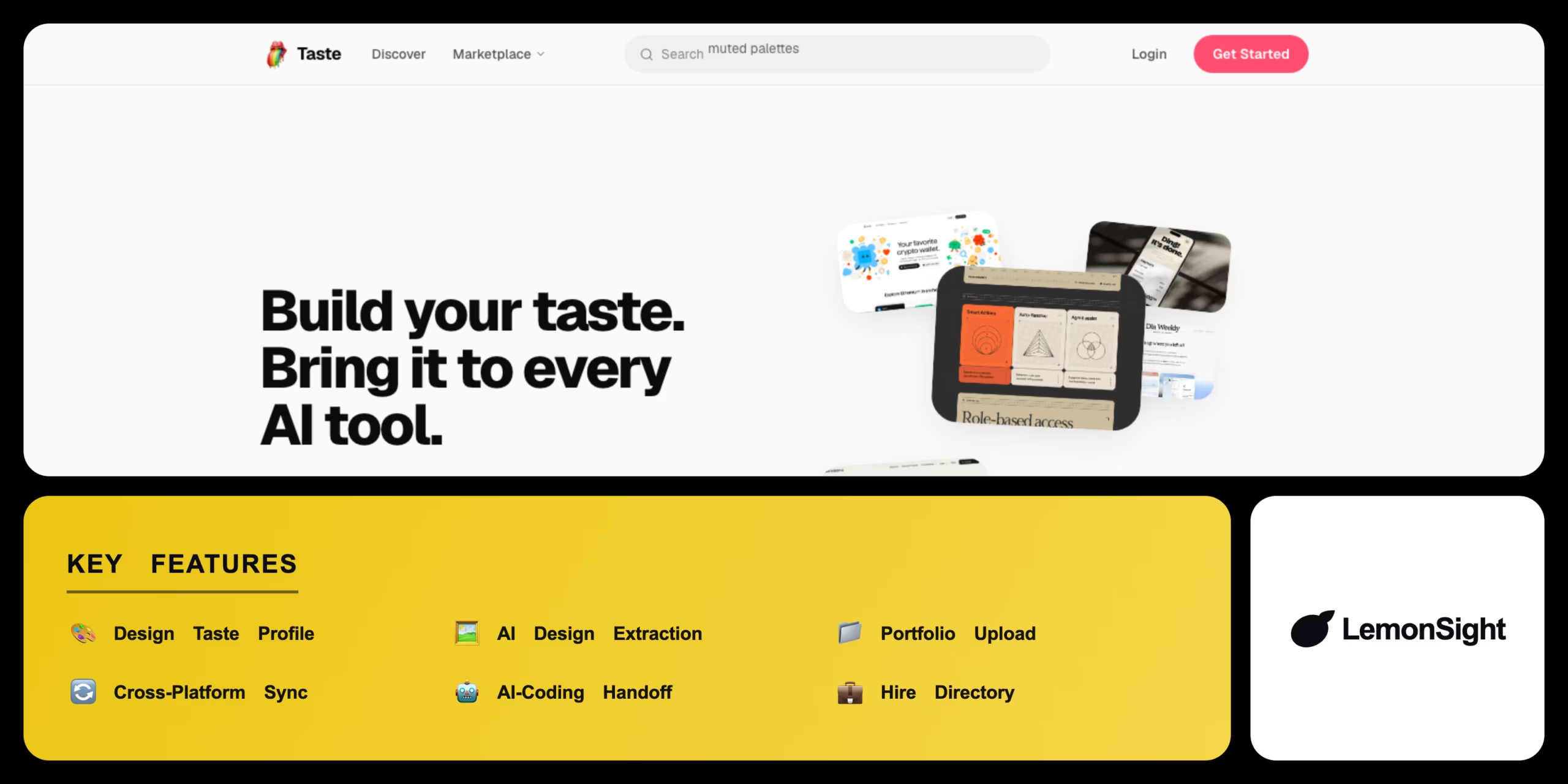
Taste is an AI design-taste tool that learns your visual preferences through swipe ratings and extracts colors, categories, and tags from any screenshot.
Is Taste Worth It?
Taste is worth it for AI-coding builders and designers who ship visual work and want a personalized design-taste layer, but its narrow focus and 5-extraction free plan make it optional for everyone else. The swipe-built taste profile works in practice and feeds directly into coding tools like Claude Code and Cursor for more on-brand output. Designers get extracted colors and tags that plug into an existing workflow, and the hire directory adds a lightweight discovery channel. Value here tracks how often a user ships visual work, since Taste delivers one focused layer rather than a broad feature suite.
About Taste
Taste is an AI design-taste tool from Taste Labs that learns a user’s visual preferences and turns them into a reusable taste profile for design and AI-coding work. Taste Labs positions the product as a counter to generic AI output, often called AI slop, and operates the tool from New York. Reporting attributes an $18.5M seed round to Taste Labs, co-led by Amplify Partners and CRV, with founder Thais Castello Branco, and the iOS and macOS app is published under Infinite Idea Machine LLC.
Taste works in three steps. First, a user swipes and rates reference designs, training a personal model as ratings accumulate. Second, Taste compiles those ratings into a taste profile that scores new work against the user’s preferences, with the first usable profile activating at 20 ratings. Third, Taste applies AI design extraction to any screenshot, pulling a structured color palette, design categories, and style tags without manual input.
AI-coding handoff and portfolio tools
Taste runs across iOS, macOS, web, and visionOS, with cross-platform sync keeping one taste profile consistent on every device. For the AI-coding handoff, Taste feeds the taste profile into AI coding tools including Claude Code, Cursor, and Codex through an exported context tied to an API key, steering generated interfaces toward on-brand output instead of generic layouts. Portfolio upload lets creators add original work that trains the model and appears in community portfolios, and the Pro-gated hire directory lists opted-in creators for people seeking design work.
Taste favours depth in one area, the personalized taste profile, over breadth across many features. Reference libraries like Mobbin cover thousands of curated app screens, while Taste covers a personal preference model tuned to a single user, which makes it a companion tool rather than a full design-inspiration replacement.
Our Verdict
Pros
- Personalized taste profile that improves the more you rate
- Fast AI design extraction of colors, categories, and tags from any screenshot
- On-brand AI-coding handoff into Claude Code, Cursor, and Codex
- Synced experience across iOS, macOS, web, and visionOS
- Optional hire-directory listing for creators on the Pro plan
Cons
- Thin free tier capped at 5 design extractions per month
- Narrow design-only focus with no broader feature scope
- Early-stage product with a limited feature set overall
- Core capabilities like auto-categorization and batch import sit behind $14.99/mo
- Niche fit that mainly suits visual builders and designers
How It Works
Download the app
Install Taste from the iOS App Store or macOS App Store and create an account.
Rate designs
Swipe through reference designs until you reach 20 ratings to activate your taste profile.
Build your profile
Taste compiles your ratings into a personal taste profile that scores new work.
Extract design attributes
Send a screenshot through the Share Sheet to pull colors, categories, and tags.
Connect a coding tool
Generate an API key in Taste and link it to Claude Code, Cursor, or Codex.
Sync across devices
Access the same taste profile on iOS, macOS, web, and visionOS.
Taste Features
Design taste profile
Builds a personal taste model from swipe ratings on reference designs.
AI design extraction
Pulls colors, categories, and tags from any screenshot.
Portfolio upload
Adds original work to train the model and list it in the hire directory.
Cross-platform sync
Keeps one taste profile consistent across iOS, macOS, web, and visionOS.
AI-coding handoff
Feeds the taste profile into Claude Code, Cursor, and Codex for on-brand output.
Taste Pricing
- 5 design extractions/mo
- Design taste profile
- Swipe-to-rate & scoring
- Cross-platform sync
- 100 design extractions/mo
- Auto-categorization & batch import
- API key for coding-tool handoff
- Hire directory listing
- 100 design extractions/mo
- Auto-categorization & batch import
- API key for coding-tool handoff
- Early access
Who Is Taste Best For?
Feed a personal taste profile into Claude Code, Cursor, or Codex for on-brand output.
Turn swipe ratings into a taste profile and list work in the hire directory.
Hold visual consistency across a shipping product without hiring a designer.
Taste Alternatives
| Tool | Best for | Price | Notes | Compare |
|---|---|---|---|---|
| Mobbin | UI/UX pattern research | $15/mo | Free tier available | vs → |
| Refero | Real-app UI inspiration | $12/mo | Free tier available | vs → |
| Qloo Taste AI | Cultural taste intelligence for brands | Custom/enterprise | No free tier | vs → |
| v0 | AI design-to-code | Usage-based | Free tier available | vs → |
| Taste — this review | Personal taste profile + AI-coding handoff | $14.99/mo | Free tier available (5/mo) |
Taste vs Mobbin
Mobbin runs a design reference library of real app screens for pattern research, while Taste builds a personal taste profile from a user's own swipe ratings. Mobbin starts from $15/mo against Taste Pro's $14.99/mo, and both offer a free tier. Choose Mobbin for breadth across curated UI patterns, choose Taste for a preference model tuned to on-brand AI-coding output.
Taste FAQ
Is Taste AI free?
Taste offers a free plan but is not fully free. The free plan includes the taste profile and caps design extractions at 5 per month, and Taste Pro unlocks more from $14.99/mo.
How much does Taste Pro cost?
Taste Pro costs $14.99/mo or $99.99/yr. It raises the extraction cap to 100 per month and adds auto-categorization, batch import, and an API key.
Who owns Taste AI?
Taste is owned by Taste Labs, based in New York. The company raised an $18.5M seed round co-led by Amplify Partners and CRV, and the app is published under Infinite Idea Machine LLC.
Is Taste AI safe to upload my designs to?
Taste is generally safe to use, but users should confirm the current privacy policy before uploading client-owned design work, since whether uploads train shared models is not publicly confirmed.
Ready to try Taste?
Start free, or take the trial to explore premium features across all your devices.
Visit Taste →Related Tools

An AI design generator that turns text prompts into raster images, native vector graphics, icons, and mockups, with brand style control for consistent output.

A browser-based AI design platform that pairs advanced typographic controls with text-to-image generation for print-on-demand and commercial creators.

An AI-powered 3D design platform that builds, animates, and exports interactive 3D scenes from a web browser.

Transforming flat images into mesmerizing 3D animations, one pixel at a time.

Where design meets efficiency, unlocking over 60,000 possibilities with web-based ease.

Streamline and enhance your interior design experience effortlessly.