

CodeRabbit Review
An AI-powered code review assistant that automatically analyzes pull requests, catches bugs, and suggests fixes directly in GitHub, GitLab, and Bitbucket.
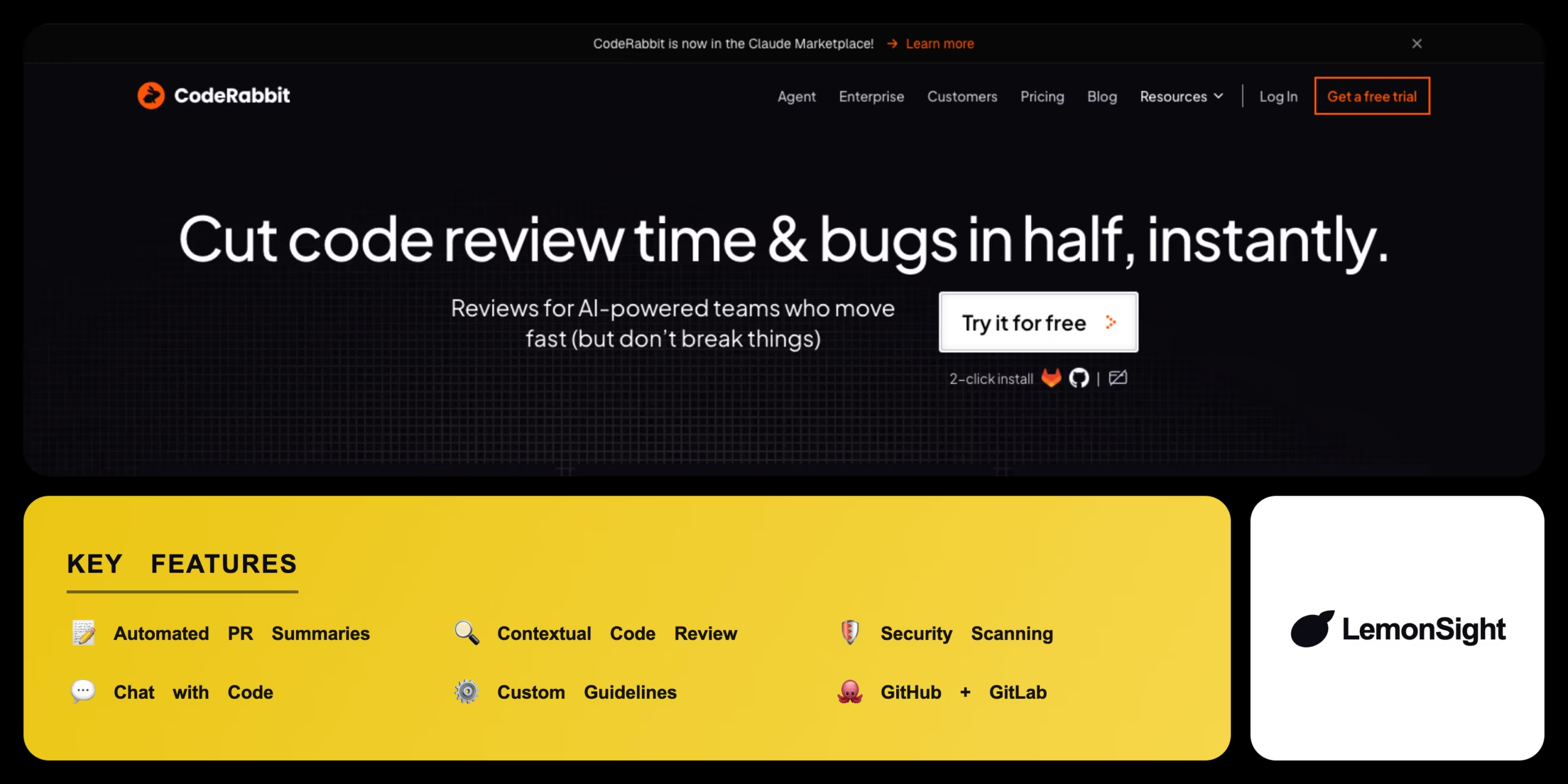
Is CodeRabbit Worth It?
CodeRabbit is worth it for engineering teams drowning in pull-request backlog. It reads a whole repository for context, leaves line-by-line suggestions, and lets developers commit one-click fixes, cutting senior-review time significantly. It’s free for open-source projects; private repos need the $15/dev/mo Pro plan, and pricing scales fast for larger teams.
About CodeRabbit
CodeRabbit is an AI-powered automated code review assistant that integrates into Git repositories to analyze pull requests and catch bugs early. It operates entirely within version control platforms, leaving contextual comments directly on pull requests for GitHub, GitLab, and Bitbucket.
CodeRabbit relies on large language models tailored for code comprehension and static analysis, understanding the broader context of a repository rather than isolated lines. Core use cases include automated syntax checking, security vulnerability detection, and refactoring suggestions, with a “Chat with Code” feature that lets developers ask the AI questions about a specific PR.
Is CodeRabbit safe for proprietary code?
CodeRabbit is safe for analyzing proprietary codebases. It complies with SOC 2 Type II standards, does not use customer code to train external foundational models, and retains code snippets only temporarily during review generation.
Our Verdict
Pros
- Drastically reduces manual code review time
- Excellent one-click code fix suggestions
- Seamless GitHub and GitLab integration
- Understands whole-repository context
- Free for public open-source projects
Cons
- Can generate false-positive suggestions
- Overly verbose comments on simple PRs
- Pricing scales quickly for large teams
- No public API for custom integrations
- Private repos require a paid seat
How It Works
Sign up
Create a CodeRabbit account via GitHub or GitLab.
Install the app
Install CodeRabbit on selected repositories.
Configure
Set review settings and custom coding guidelines.
Push code
Commit changes and open a pull request.
Auto-review
CodeRabbit generates a PR summary and inline comments.
Apply fixes
Accept one-click fixes or chat with the bot to clarify.
Merge
Merge once the review is resolved.
CodeRabbit Features
Automated PR Summaries
Concise overviews of all changes in a pull request.
Contextual Code Review
Line-by-line improvement suggestions.
Security Scanning
Flags potential vulnerabilities in new code.
Chat with Code
Ask the AI questions about the PR.
Custom Review Guidelines
Enforces team coding standards.
CodeRabbit Pricing
- Private repositories
- Custom guidelines
- Priority processing
- One-click fixes
- Self-hosted deployment
- Advanced security compliance
- Dedicated support
- SSO
Who Is CodeRabbit Best For?
Faster PR turnaround without sacrificing review quality.
Unlimited free reviews on public repositories.
Consistent code quality without hiring more senior reviewers.
CodeRabbit Alternatives
| Tool | Best for | Price | Notes | Compare |
|---|---|---|---|---|
| GitHub Copilot | In-IDE generation | $10+/mo | Free tier available | vs → |
| SonarQube | Static analysis rules | Free + paid | Free tier available | vs → |
| CodiumAI | Unit test generation | Free + paid | Free tier available | vs → |
| CodeRabbit — this review | PR review + fixes | Free + $15/dev/mo | Free for open source |
CodeRabbit vs GitHub Copilot
GitHub Copilot generates code in real time inside the editor; CodeRabbit reviews completed pull requests asynchronously with contextual comments. In-editor generation → Copilot; async PR review → CodeRabbit.
CodeRabbit FAQ
Is CodeRabbit free?
CodeRabbit is free for public open-source repositories with unlimited reviews. Private commercial repositories require the Pro plan at $15 per developer per month.
Is CodeRabbit accurate?
CodeRabbit is generally accurate at identifying logic errors and suggesting improvements, though developers should still verify suggestions since the AI can occasionally produce false positives.
Which platforms does CodeRabbit support?
CodeRabbit integrates natively with GitHub, GitLab, and Bitbucket via OAuth apps and webhooks.
Does CodeRabbit train on my code?
No. CodeRabbit does not use customer code to train external foundational AI models and retains code snippets only temporarily during review generation.
Ready to try CodeRabbit?
Start free, or take the trial to explore premium features across all your devices.
Visit CodeRabbit →Related Tools

Botpress is an open-source, LLM-native platform for building and deploying AI agents, pairing a visual Agent Studio with an Autonomous Engine and a free pay-as-you-go tier.

An end-to-end LLM development platform that bundles prompt engineering, a visual workflow builder, an evaluation framework, RAG retrieval and production monitoring for teams shipping AI features.
Phind was an AI answer engine for developers that shut down on 16 January 2026, and phind.com now returns a 404 with no product left to use.

A free, open-source TypeScript and Node.js ORM that generates a fully type-safe database client from a declarative schema file.

A developer-centric orchestration platform for building low-latency conversational voice AI agents, connecting STT, LLM, and TTS providers into one pipeline.

A serverless computing platform that provisions cloud GPUs in seconds for Python AI workloads, with no containers or Kubernetes required.