

Trint Review
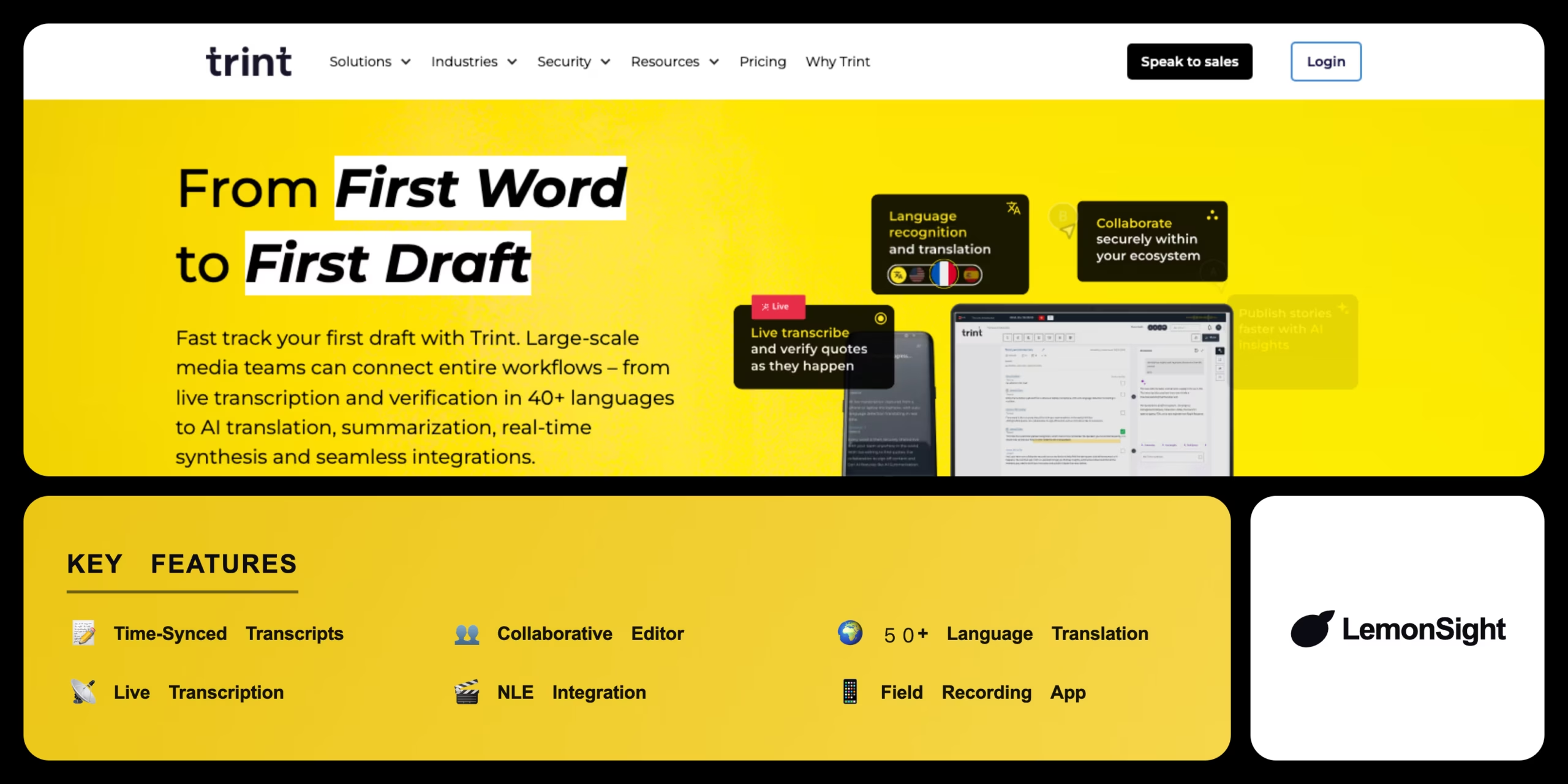
An AI transcription platform for journalists and media teams with a collaborative text editor, live transcription, and translation into 50+ languages.
Is Trint Worth It?
Trint is worth it for media organizations and newsrooms processing heavy daily audio and video volume. Transcription stays accurate even with challenging audio or heavy accents, editors can cut video by striking through text, and entire editorial teams can comment on a transcript simultaneously. There’s no permanent free tier — only a 7-day trial — and pricing sits well above consumer transcription apps.
About Trint
Trint is an AI audio and video transcription software that automates speech-to-text conversion, subtitling, and collaborative editing for journalists and media production teams. It targets enterprise users needing accurate transcripts integrated into video editing workflows, via an interactive web editor and live transcription for real-time events.
Trint converts uploaded audio and video into an interactive, time-synced text editor using proprietary speech recognition. Multiple users can highlight, comment, and edit transcripts simultaneously, “Story” documents pull quotes from multiple transcripts into a single script, and exports support Word, CSV, and subtitle formats like SRT and VTT with native Adobe Premiere Pro and Final Cut Pro integration.
Is Trint safe for sensitive media?
Trint is safe, implementing ISO 27001-certified security, encrypting audio data in transit and at rest on AWS servers, and complying with strict enterprise regulations including GDPR and HIPAA.
Our Verdict
Pros
- Integrates seamlessly with Adobe Premiere Pro and Final Cut Pro
- Features a highly intuitive, collaborative web-based text editor
- Translates transcripts accurately into over 50 different languages
- Includes a dedicated mobile app for recording interviews in the field
- Delivers accurate transcriptions even with heavy accents
Cons
- Charges significantly higher fees than consumer transcription apps
- Lacks a permanent free tier for casual users or students
- Requires a stable, high-speed connection for large video uploads
- Restricts the base “Starter” plan to 7 transcriptions per month
- Live transcription features are Enterprise-tier only
How It Works
Log in
Open the Trint web dashboard.
Upload
Select an audio or video file.
Set language
Choose the spoken language and click Transcribe.
Edit
Open the interactive editor and correct errors.
Collaborate
Highlight quotes and build a Story script.
Translate
Convert the transcript into another language.
Export
Save as Word, SRT, or push to Premiere Pro.
Trint Features
Time-Synced Transcripts
Text linked directly to source media.
Collaborative Editor
Multiple users highlight and comment live.
50+ Language Translation
Instant transcript translation.
Live Transcription
Real-time captioning for events.
NLE Integration
Native Premiere Pro and Final Cut export.
Trint Pricing
- 7 transcribed files/mo
- Interactive editor
- Standard export formats
- 7-day trial
- Unlimited transcription
- Collaborative team workspaces
- Story builder
- Translation included
- Live transcription
- Custom security protocols
- Dedicated account manager
- Priority support
Who Is Trint Best For?
Instant, searchable transcripts of interviews.
Time-coded SRT exports into NLE timelines.
Searchable archive of meetings and trainings.
Trint Alternatives
| Tool | Best for | Price | Notes | Compare |
|---|---|---|---|---|
| Otter.ai | Live meeting notes | Freemium | Free tier available | vs → |
| Sonix | Multi-language translation | Freemium | Free tier available | vs → |
| Rev | Human-verified accuracy | Premium only | No free tier | vs → |
| Trint — this review | Collaborative media editing | From $60/mo | 7-day trial |
Trint vs Otter.ai
Otter.ai focuses on automated Zoom/Teams meeting notes; Trint is built for collaborative, multi-user editorial workflows with deep video-editor integration. Meeting notes → Otter.ai; media production workflows → Trint.
Trint FAQ
Is Trint free?
No. Trint does not offer a permanent free tier, only a 7-day trial. Paid plans start at $60/month for 7 files.
Is Trint accurate?
Trint achieves its highest accuracy on clear, studio-quality audio with minimal background noise, and remains strong even with heavier accents.
Can I edit video by editing text in Trint?
Yes. Trint’s transcript is time-synced to the source media, so striking through text can be used to guide edits in supported workflows.
Does Trint integrate with Premiere Pro?
Yes. Trint supports native export integrations with Adobe Premiere Pro and Apple Final Cut Pro.
Ready to try Trint?
Start free, or take the trial to explore premium features across all your devices.
Visit Trint →Related Tools
An AI text-to-speech platform with 500+ realistic voices across 100+ languages, built for affordable, high-volume voiceover generation.

An AI audio-recognition app that identifies songs from playback, humming, or singing, with a Houndify-powered hands-free voice assistant.

An AI media localization platform that automates transcription, subtitling, and voice-cloned voiceovers across 100+ languages.

A free web-based audio tool that uses AI to isolate vocals and extract instrumental tracks from any song in the browser.

An AI music generator with voice cloning, voice conversion, and stem separation for musicians and content creators.

An AI voice platform that converts text to natural speech and clones human voices from short audio samples with emotional inflection controls.