

Remove.bg Review
An AI-powered background removal tool that deletes image backgrounds in one click and returns a transparent cutout.
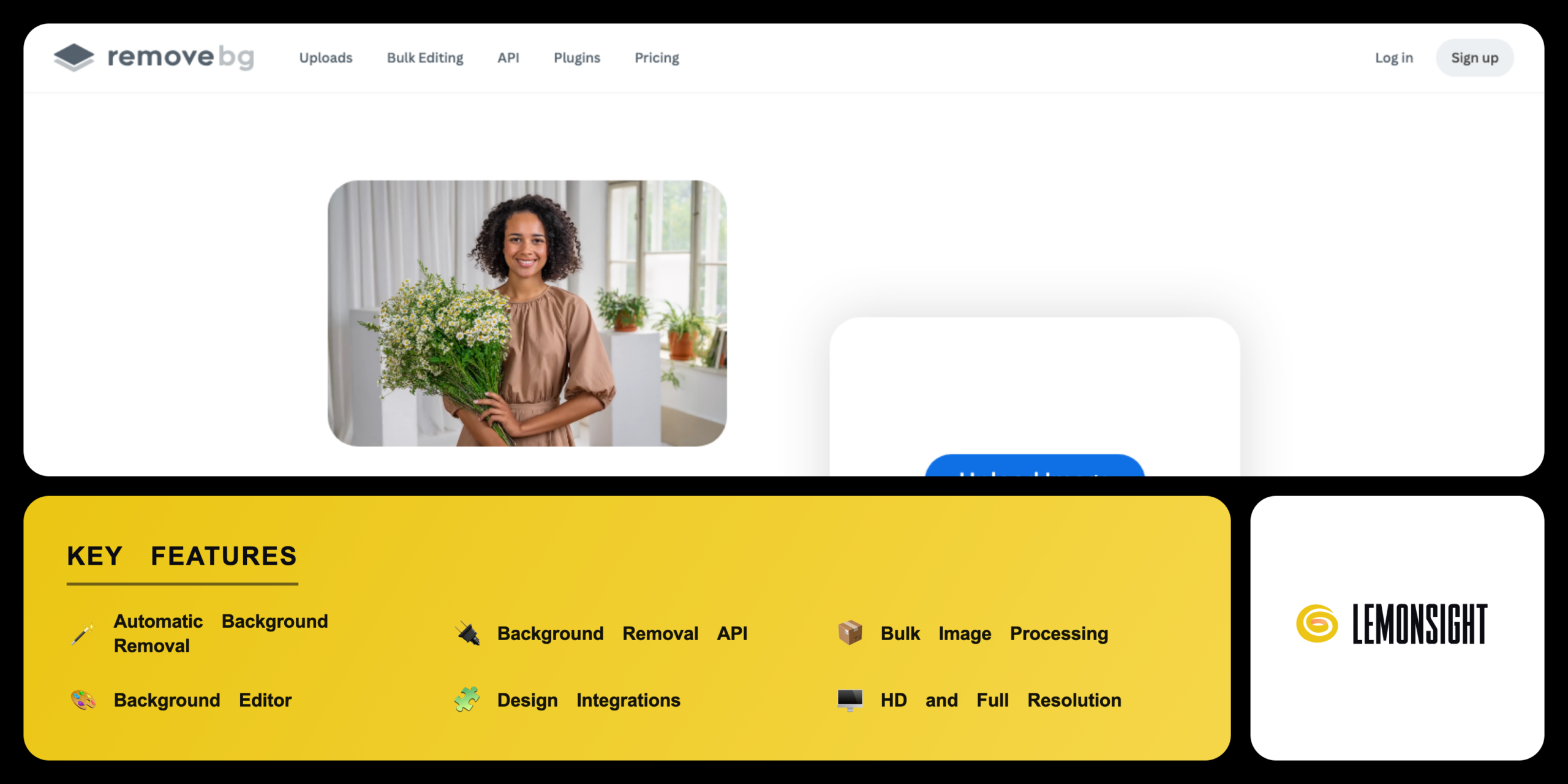
Is Remove.bg Worth It?
Remove.bg is worth the credit cost for designers, photographers, and e-commerce sellers who remove backgrounds often. It deletes backgrounds in around 5 seconds and returns a clean transparent PNG, and subscriptions from $9 per month for 40 credits add bulk processing and an API. The free preview covers low-resolution checks.
About Remove.bg
Remove.bg is an AI-powered background removal tool that deletes image backgrounds in one click and returns a transparent cutout. Kaleido AI GmbH built Remove.bg in Vienna, Austria, and launched the tool in 2018. Canva Pty Ltd acquired Kaleido AI in February 2021 and now owns Remove.bg. Remove.bg processes portraits, products, animals, cars, and graphics through a single automatic background remover.
Remove.bg bundles three access methods into one service. The web app removes a background from an uploaded image in the browser. The Background Removal API removes backgrounds at scale for developers. The desktop and integration apps connect Remove.bg to Photoshop, Figma, and Canva.
Remove.bg serves three main audiences. Designers use Remove.bg for quick cutouts. Photographers use Remove.bg for portrait and product edits. E-commerce sellers use Remove.bg for bulk catalogue images. Remove.bg offers free preview downloads and paid credit plans from $9 per month.
Is Remove.bg safe, private & legit?
Remove.bg is safe and legitimate, backed by Canva and served over encrypted connections. Remove.bg transfers uploads over TLS encryption. Kaleido AI GmbH operates Remove.bg under a documented privacy policy.
Data security and user privacy
Remove.bg protects uploads with TLS encryption in transit and deletes uploaded images from its servers after processing under the stated retention terms. Remove.bg processes personal data under the Canva privacy policy. The API supports up to two keys per self-service account for access control.
✅ Worth it if you
- Remove backgrounds often as a designer, photographer, or seller
- Need accurate cutouts at volume
- Want bulk processing for product catalogues
- Need a developer API for automated pipelines
🤔 Look elsewhere if you
- Need a full image editor
- Want unlimited use rather than per-credit pricing
- Need only occasional low-resolution previews (the free tier may be enough)
Our Verdict
Pros
- Automatic one-click background removal
- API integration for developer workflows
- Bulk image processing for catalogues
- Backed by Canva for stability
- Clean edges on hair and fine detail
Cons
- Free tier limits downloads to previews
- Credit cost rather than unlimited use
- No full image editor included
- Higher per-image cost than rivals
- Learning curve for API setup
How It Works
Create account
Visit remove.bg and create an account with email or Google.
Upload image
Click the upload button and select an image from a device.
Auto-remove
Wait around 5 seconds for the automatic background remover to run.
Review cutout
Review the transparent cutout in the Remove.bg editor.
Replace background
Replace the background with a colour, a photo, or transparency.
Add credit
Add an image credit to unlock the full-resolution download.
Download
Download the result as a PNG, JPG, or ZIP file.
Remove.bg Features
Automatic Background Removal
Deletes the background and returns a transparent PNG.
Background Removal API
Removes backgrounds through one HTTP call.
Bulk Image Processing
Removes backgrounds from many files in one batch.
Background Editor
Replaces the background with colour, photo, or transparency.
Design Integrations
Connects to Photoshop, Figma, Canva, and Zapier.
HD and Full Resolution
Downloads cutouts up to 50 megapixels with one credit.
Free Preview
Returns a 0.25-megapixel preview without a credit.
File Formats
Exports PNG, JPG, and ZIP outputs.
Remove.bg Pricing
- 200 credits per month
- $0.20 cost per image
- Bulk processing and HD output
- 500 credits per month
- $0.18 cost per image
- Bulk processing and HD output
Who Is Remove.bg Best For?
Use automatic background removal to isolate a subject; integrations send the cutout to Photoshop, Figma, and Canva, removing the manual masking step.
Use the API to process shoots at scale; the model refines hair and fine edges in portraits and returns full-resolution cutouts up to 50 megapixels.
Use bulk image processing to edit up to 1,000 files at once; cutouts place products on clean white backgrounds and export as a single ZIP.
Remove.bg Alternatives
| Tool | Best for | Price | Notes | Compare |
|---|---|---|---|---|
| Photoroom | Product photo templates | $9.99/mo | Free tier available | vs → |
| Adobe Express | All-in-one image editing | $9.99/mo | Free tier available | vs → |
| Canva | Background removal in design | $15/mo | Free tier available | vs → |
| Remove.bg — this review | One-click background removal | from $9/mo | Preview only |
Remove.bg vs Photoroom
Photoroom removes backgrounds and adds e-commerce photo templates, while Remove.bg focuses on the cutout alone. Photoroom builds product scenes and batch templates inside its app; Remove.bg returns a plain transparent PNG and a developer API. Photoroom Pro starts at $9.99 per month, and Remove.bg subscriptions start at $9 per month. Sellers who want ready scenes pick Photoroom, while developers who want raw cutouts pick Remove.bg.
Remove.bg FAQ
Is Remove.bg free?
Remove.bg offers free preview downloads up to 0.25 megapixels without a credit. Full-resolution downloads, bulk processing, and HD output require paid image credits. Remove.bg subscriptions start from $9 per month for 40 credits.
How much does Remove.bg cost?
Remove.bg subscriptions start from $9 per month for 40 credits on the Basic plan. The Standard plan costs $39 per month for 200 credits, and the Professional plan costs $89 per month for 500 credits. Annual billing lowers each rate by 10 percent.
Who owns Remove.bg?
Canva Pty Ltd owns Remove.bg through its subsidiary Kaleido AI GmbH. Kaleido AI built Remove.bg in Vienna, Austria, and launched the tool in 2018. Canva acquired Kaleido AI in February 2021.
Is Remove.bg safe?
Remove.bg is safe to use, with TLS encryption on uploads and a documented privacy policy. Remove.bg deletes processed images under its retention terms. Canva operates Remove.bg under its global privacy controls.
Is Remove.bg legit?
Remove.bg is a legitimate tool operated by Kaleido AI GmbH and owned by Canva. Remove.bg has processed billions of images since 2018. Remove.bg serves designers, photographers, and e-commerce sellers worldwide.
Is Remove.bg worth it?
Remove.bg is worth the cost for users who remove backgrounds often and need bulk processing or an API. The one-click cutouts and edge accuracy save manual masking time. Users who need only occasional low-resolution previews find the free tier sufficient.
Ready to try Remove.bg?
Start free, or take the trial to explore premium features across all your devices.
Visit Remove.bg →Related Tools

A free AI image and video generator from ByteDance's CapCut brand, combining Seedream image generation with Seedance video generation on one shared credit balance.

A web-based AI image generator built on Stable Diffusion XL with a large community prompt library, ControlNet, and custom model training.

A community platform for discovering, downloading, and reviewing Stable Diffusion checkpoints, LoRAs, and textual inversion models.

Desktop AI software that upscales, denoises, and sharpens photos and video locally on your GPU using trained neural networks.

A free AI image generator powered by DALL·E 3 inside Microsoft Copilot, producing four 1024px images per prompt with a Boost token system.

An AI photo editor that removes backgrounds, retouches images, and creates product photography for ecommerce sellers and small businesses.