

Bloom Review
A credit-based on-brand image generator that ingests a brand from a URL, Instagram or Figma file, then produces unlimited on-brand marketing assets from it.
Is Bloom Worth It?
Bloom is worth it for teams generating on-brand images at volume, but the lack of a free plan makes it a hard sell for occasional users. The brand ingestion step automates a genuinely tedious task, pulling logo, palette, fonts and voice from a URL, Instagram handle or Figma file, then applying that system to every generated asset afterward. Credit-based pricing means cost tracks output, which rewards steady high-volume marketing and agency teams more than it rewards someone who needs one or two assets. With no permanent free tier and Pro-plan pricing still unpublished, run the numbers on expected asset volume before committing.
About Bloom
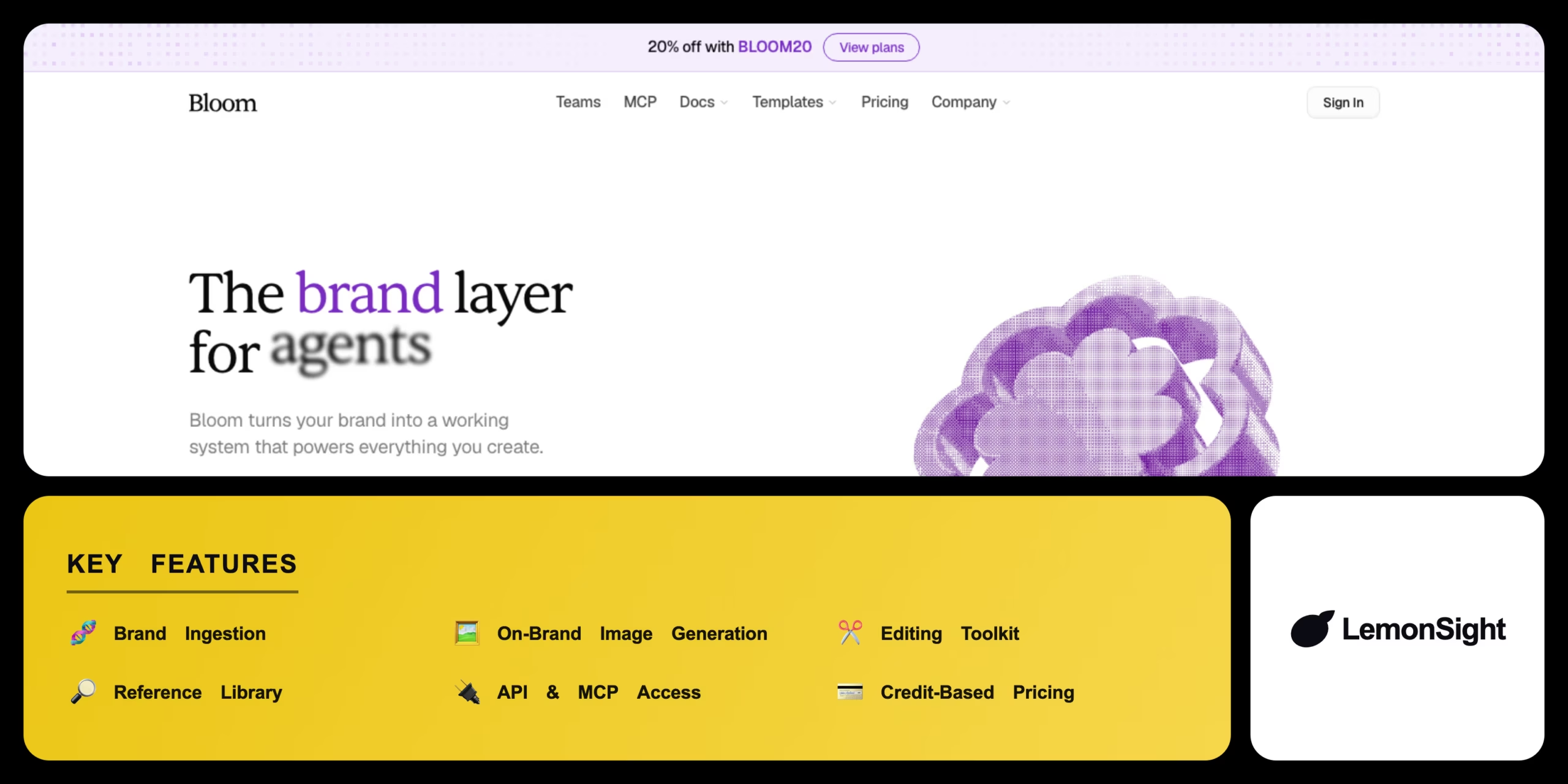
Bloom (trybloom.ai) is an on-brand image generator that turns a brand into a reusable system, then produces marketing assets from it on demand. Instead of rebuilding a brand kit for every new tool, Bloom ingests a brand once, from a website URL, an Instagram handle, a Figma file, or an uploaded PDF or logo, and extracts the logo, colour palette, fonts and brand voice into what Bloom calls a brand layer. Every image generated afterward draws on that same brand layer, which is how Bloom keeps output visually consistent across a high volume of assets.
Bloom groups its feature set into four areas: brand ingestion, on-brand image generation at 2K or 4K resolution, an editing toolkit for resizing, variants and multi-slide carousels, and a reference library of curated visual examples searchable in plain English. An API and an MCP server extend Bloom to external tools, letting AI clients such as Claude Desktop, ChatGPT and Cursor request on-brand assets programmatically, per the vendor available on Bloom’s higher-tier plans.
How Bloom bills and who is behind it
Bloom bills in credits rather than a flat seat fee, and each generated asset draws down a shared workspace credit balance, with a 4K image costing more credits than a 2K image. That makes cost track output volume rather than headcount, which favours steady high-volume users over occasional one-off requests. Bloom is operated by a Y Combinator-backed company based in San Francisco, California, founded by Ray Fitzgerald. Per the vendor, Bloom has generated more than 175,000 assets across its user base.
Bloom’s public materials do not spell out a data-retention window, a SOC 2 or ISO certification, or a licensing clause for generated images, so teams planning to upload a client’s brand assets or publish generated images commercially should confirm those terms in Bloom’s current privacy policy and terms of service before connecting sensitive brand files.
Our Verdict
Pros
- Automates brand consistency by ingesting logo, palette, fonts and voice from a URL, Instagram handle or Figma file
- Generates on-brand images at 2K or 4K resolution with an in-app editing toolkit for resizing, variants and carousels
- API and MCP access connects Bloom to AI clients like Claude Desktop, ChatGPT and Cursor for programmatic asset generation
- Reference library with plain-English search speeds up finding on-brand visual direction
- Pooled workspace credits let a team allocate volume where campaigns need it most
Cons
- No permanent free plan, only a $5, 3-day paid trial
- Credit-based pricing means cost climbs with output volume rather than staying flat
- Pro plan pricing is not publicly listed
- Image-only focus, with video and copy generation unconfirmed
- Data-retention and asset-ownership terms are not fully spelled out publicly, so brand-data policies need review before onboarding a client brand
How It Works
Sign up
Create a Bloom account and start the paid trial to open a workspace.
Connect your brand
Add a website URL, Instagram handle or Figma file so Bloom can ingest your brand.
Review the brand system
Confirm the extracted logo, palette, fonts and voice, editing anything that's wrong.
Generate assets
Prompt Bloom to generate on-brand images at 2K or 4K resolution.
Refine and vary
Edit, resize or produce variants and carousels inside Bloom's editing toolkit.
Export
Download the finished asset once resizing and resolution are set.
Automate with API/MCP
Connect Claude Desktop, ChatGPT or Cursor via MCP to generate assets programmatically.
Bloom Features
Brand ingestion
Extracts logo, palette, fonts and brand voice from a website URL, Instagram handle or Figma file.
On-brand image generation
Produces images at 2K or 4K resolution that match the ingested brand system.
Editing toolkit
Edits, resizes and creates variants and carousels without leaving Bloom.
Reference library
Stores curated references searchable in plain English to guide generation style.
API & MCP access
Connects external tools and AI agents like Claude Desktop, ChatGPT and Cursor to generate assets programmatically.
Bloom Pricing
- Brand ingestion from URL, Instagram or Figma
- On-brand image generation (2K/4K)
- Editing toolkit: resize, variants, carousels
- ~50 assets per month
- Everything in Plus
- ~100 assets per month
- API and MCP access
- For growing marketing teams
- 500 credits per month
- Unlimited seats
- API and MCP access
- Pooled workspace credits
Who Is Bloom Best For?
Turn one ingested brand into consistent ads, social posts and carousels every week.
Manage multiple client brands in separated workspaces with pooled credits.
Wire Bloom's API and MCP server into an existing workflow to generate assets at scale.
Bloom Alternatives
| Tool | Best for | Price | Notes | Compare |
|---|---|---|---|---|
| Canva | Brand-kit design and templates | From $12.99/mo | Yes, free plan available | vs → |
| AdCreative.ai | Ad creative generation at scale | From $39/mo | Limited trial only | vs → |
| Bloom — this review | On-brand image generation at volume | From $20/mo | No free plan, paid trial only |
Bloom vs Canva
Bloom generates net-new on-brand images from an ingested brand system, while Canva provides a brand kit and manual design templates to assemble from. Canva runs a free tier and suits layout-first design, while Bloom has no free plan but automates the image generation itself. Choose Bloom for on-brand image generation at volume, choose Canva for flexible template-based design with a free entry point.
Bloom FAQ
Is Bloom free?
Bloom is not free. It has no free plan and instead offers a $5, 3-day paid trial, with subscriptions starting from $20/mo billed in credits.
How much does Bloom cost?
Bloom costs from $20/mo on the Plus plan. The Scale plan runs $90/mo, annual billing adds a discount, and all usage draws from a shared credit balance.
What does Bloom do?
Bloom generates on-brand images and marketing assets from an ingested brand system, handling brand ingestion, image generation, and API and MCP access for AI agents.
Is Bloom worth it?
Bloom is worth it for high-volume, on-brand image needs. Its credit cost suits teams generating regularly, and suits occasional users needing one-off assets less well.
Ready to try Bloom?
Start free, or take the trial to explore premium features across all your devices.
Visit Bloom →Related Tools

A marketing automation platform that combines email, SMS, and a built-in CRM with machine-learning predictive sending and Site Tracking.

A social media management platform that centralizes scheduling, engagement, and analytics across networks with OwlyWriter AI caption generation.

An email marketing platform for online creators to automate campaigns, build landing pages, and sell digital products via a tag-based system.

An AI YouTube growth tool for keyword research, SEO scoring, and competitor tracking via a browser extension and dashboard.

A social media management platform that schedules posts, measures performance, and drafts captions with an AI assistant across all major networks.

An ecommerce marketing automation platform that coordinates email, SMS, and push campaigns with real-time store data.