

Pixverse Review
An AI text-to-video and image-to-video generator with Motion Brush, camera controls, and cinematic diffusion models for short-form clips.
Is Pixverse Worth It?
Pixverse is worth it for creators who want fast, cinematic AI video without a steep learning curve. Motion Brush and camera controls give real creative control over movement, and the free daily-credit tier is generous enough to test the platform. Longer clips still show temporal-consistency issues, and there’s no native mobile app.
About Pixverse
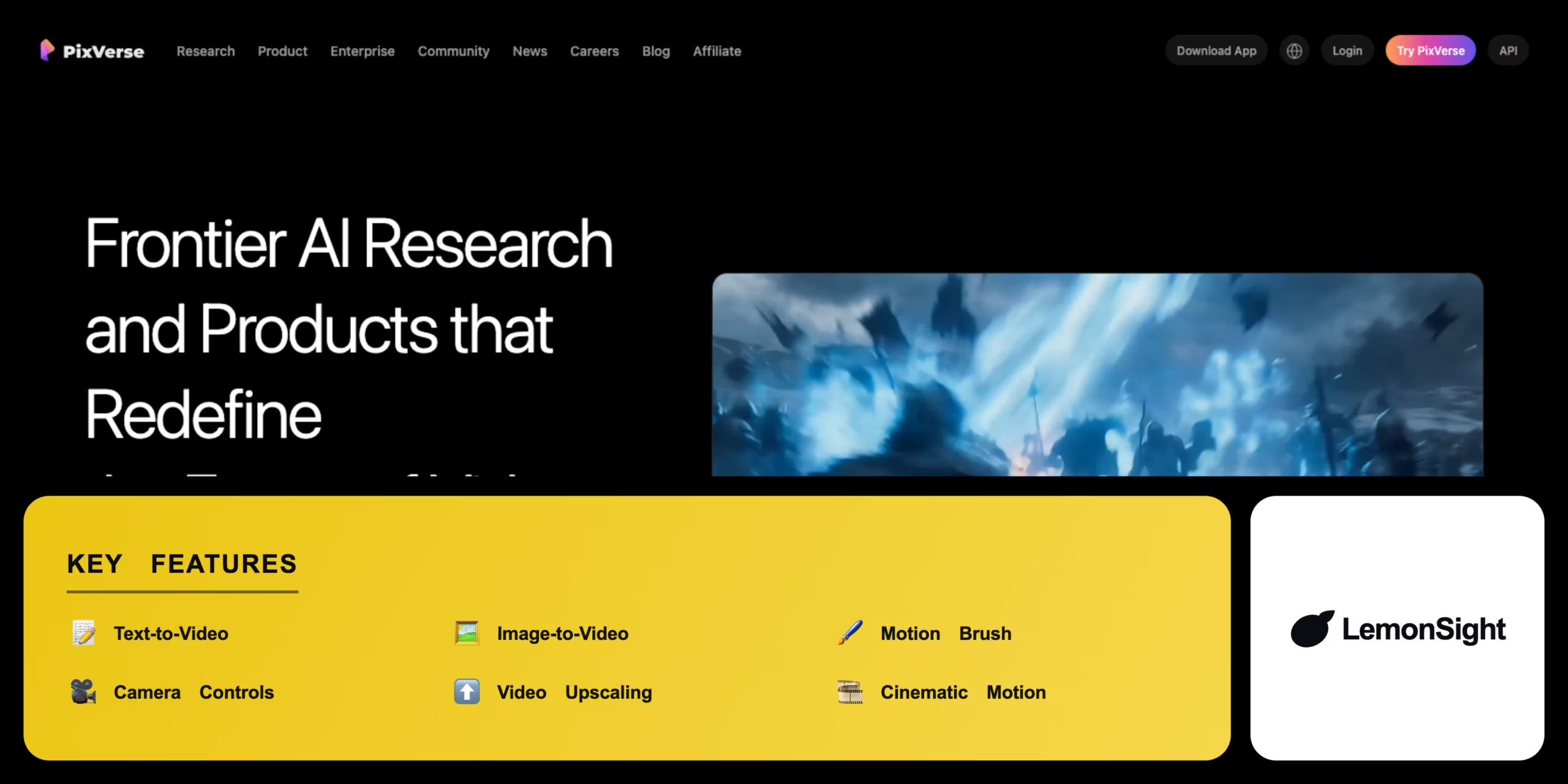
Pixverse is an AI-powered text-to-video and image-to-video generation platform that produces high-quality animated clips for social media creators, marketers, and independent filmmakers. It runs as a web app and via an active Discord server integration.
Pixverse relies on diffusion models trained on cinematic video and motion graphics, simulating physics, camera movement, and lighting changes over time. Motion Brush lets users paint specific areas of an image to direct targeted movement, camera controls adjust pan/tilt/zoom during generation, and video upscaling increases resolution and framerate before export.
Is Pixverse good for social media video?
Yes. Configurable aspect ratios (16:9, 9:16), fast generation speeds, and style range from photorealism to anime make Pixverse well suited to rapid social content and B-roll.
Our Verdict
Pros
- Exceptional cinematic motion quality
- Highly intuitive web interface
- Powerful Motion Brush feature
- Fast generation with a usable free tier
- Supports multiple aspect ratios for social platforms
Cons
- Limited to short clip durations
- Temporal consistency issues in complex scenes
- No native mobile application
- No public API for developers
- Free tier caps daily generations
How It Works
Open Pixverse
Go to the web app or join the Discord server.
Sign up
Register with Google or email.
Pick a mode
Choose text-to-video or image-to-video.
Write a prompt
Describe the desired scene.
Adjust controls
Set camera movement and motion strength.
Generate
Click generate and wait for processing.
Export
Upscale if needed and download the MP4.
Pixverse Features
Text-to-Video
Generates clips from descriptive prompts.
Image-to-Video
Animates static image uploads.
Motion Brush
Paints targeted movement onto an image.
Camera Controls
Adjusts pan, tilt, and zoom during generation.
Video Upscaling
Increases resolution and framerate.
Pixverse Pricing
- Faster generation
- Higher credit allowance
- More daily outputs
- Priority queue
Who Is Pixverse Best For?
Fast, cinematic clips sized for TikTok, Reels, and Shorts.
Rapid promotional B-roll without a video shoot.
Visual prototyping and concept previsualization.
Pixverse Alternatives
| Tool | Best for | Price | Notes | Compare |
|---|---|---|---|---|
| Runway | Full editing suite | $12+/mo | Free tier available | vs → |
| Pika Labs | 3D + lip-sync | $8+/mo | Free tier available | vs → |
| Sora | Longest consistency | $20+/mo | Limited access | vs → |
| Pixverse — this review | Cinematic motion | Free + $15/mo | Free tier available |
Pixverse vs Runway
Runway offers a broader AI video editing suite including green screen and inpainting; Pixverse focuses on cinematic motion generation with Motion Brush. Full editing toolkit → Runway; fast cinematic clips → Pixverse.
Pixverse FAQ
Is Pixverse free?
Pixverse offers a free tier with a daily credit allowance. Standard at $15/month and Pro at $30/month unlock faster generation, higher limits, and no watermark.
Is Pixverse accurate?
Pixverse is generally accurate on prompt adherence and motion simulation, though results vary with more complex physics or character movement.
Can I animate my own images with Pixverse?
Yes. Image-to-video animates static image uploads, including Midjourney generations, into moving sequences.
Does Pixverse have a mobile app?
No. Pixverse is available as a web application and Discord integration, with no dedicated iOS or Android app.
Ready to try Pixverse?
Start free, or take the trial to explore premium features across all your devices.
Visit Pixverse →Related Tools

A browser-based AI avatar video generator with genuinely free daily credits, watermarked at 720p until you upgrade.

An AI video generation platform that creates video from text prompts or static images, with style transfer and resolution upscaling.
A cloud-based drag-and-drop animation platform that produces professional 2D training videos and presentations with automated lip-syncing and AI-drafted scripts.

Professional video-editing software with AI-assisted timeline editing, color grading, and audio mixing inside Adobe Creative Cloud.

An AI video platform that turns text prompts into fully edited videos with stock media, AI voiceover, and a browser-based timeline editor.

An AI video generator that turns text prompts and still images into short cinematic clips.