


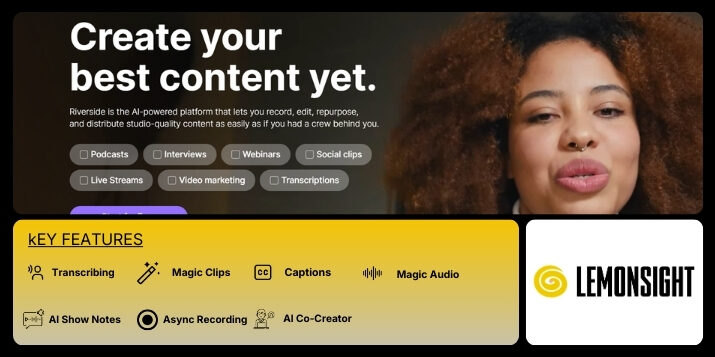
Riverside is an AI-powered platform designed to help creators record, edit, repurpose, and publish studio-quality audio and video without needing a full production setup.
It is predominantly used by podcasters, video creators, and remote teams who want dependable output without the need for complicated tools. Riverside supports recording interviews, podcasts, webinars, and video content directly from a browser or desktop app. Each participant’s audio and video are captured locally, which helps preserve quality even when internet connections are unstable.
Beyond recording, the platform includes tools for editing, live streaming, and publishing. Editing is handled through a text-based interface, allowing users to make changes by working directly with transcripts instead of traditional timelines. This approach is often faster for creators who are not professional editors. Riverside also includes features for captions, automatic transcriptions, and generating short clips from longer recordings. The platform works for both solo creators and teams. It supports multi-participant sessions, multiple camera inputs, and separate track exports for each speaker. This flexibility makes post-production easier while keeping the overall workflow simple and accessible.
Riverside is essentially an online studio for recording audio and video with people who are not in the same place. You start by opening a session, inviting guests, and hitting record. Each person is recorded locally on their own device, which means Riverside saves separate audio and video files instead of one combined recording. That’s why the final output stays sharp, even when someone’s internet connection drops. Video can be recorded in high resolution, including up to 4K, with clean, uncompressed sound.
After the session ends, the files upload automatically to the cloud. From there, recordings can be downloaded as WAV or MP4 files or edited directly inside the platform. The editor works through text, so you can make cuts by deleting words from the transcript rather than dragging clips on a timeline. AI tools help clean up audio and speed up basic edits.
Riverside also supports live streaming, letting users go live in full HD on platforms like YouTube or LinkedIn. It can be used to run webinars, which can be recorded and later reused as standalone content. For podcasts, Riverside offers built-in hosting and basic analytics. Mobile apps allow recording from phones, while most editing tools are still best used on a desktop browser.
| Feature | Description |
|---|---|
| Transcribing | The platform generates written transcripts from audio and video recordings in multiple languages. |
| Magic Clips | This feature turns longer recordings into short, shareable video clips automatically. |
| Captions | The platform adds automatic captions to videos to improve accessibility and viewing clarity. |
| Magic Audio | This feature improves audio quality by reducing background noise and removing filler sounds. |
| AI Show Notes | The platform automatically creates summaries and show notes from recorded content. |
| Async Recording | This feature allows participants to record their segments independently and upload them later. |
| AI Co-Creator | The platform provides AI assistance to speed up editing, repurposing, and content creation tasks. |
Riverside offers multiple plans to support individual creators, live streamers, webinar hosts, and larger teams. Pricing varies based on recording quality, live streaming needs, and production scale.
| Plan | Price | Description |
|---|---|---|
| Free | $0 | Provides basic recording access with limited features for testing the platform. |
| Pro | $24/month (billed annually) / $29/month (monthly) | Designed for creators producing polished audio and video content. |
| Live | $34/month (billed annually) / $39/month (monthly) | Focused on multistreaming live sessions in full HD. |
| Webinar | $79/month (billed annually) / $99/month (monthly) | Built for planning, hosting, recording, and repurposing webinars. |
| Business | Custom Pricing | Intended for teams producing content at scale with advanced control and support. |
There are no reviews yet. Be the first one to write one.