

Submagic Review
An AI-powered short-form video editor for captions, auto-cuts, and B-roll.
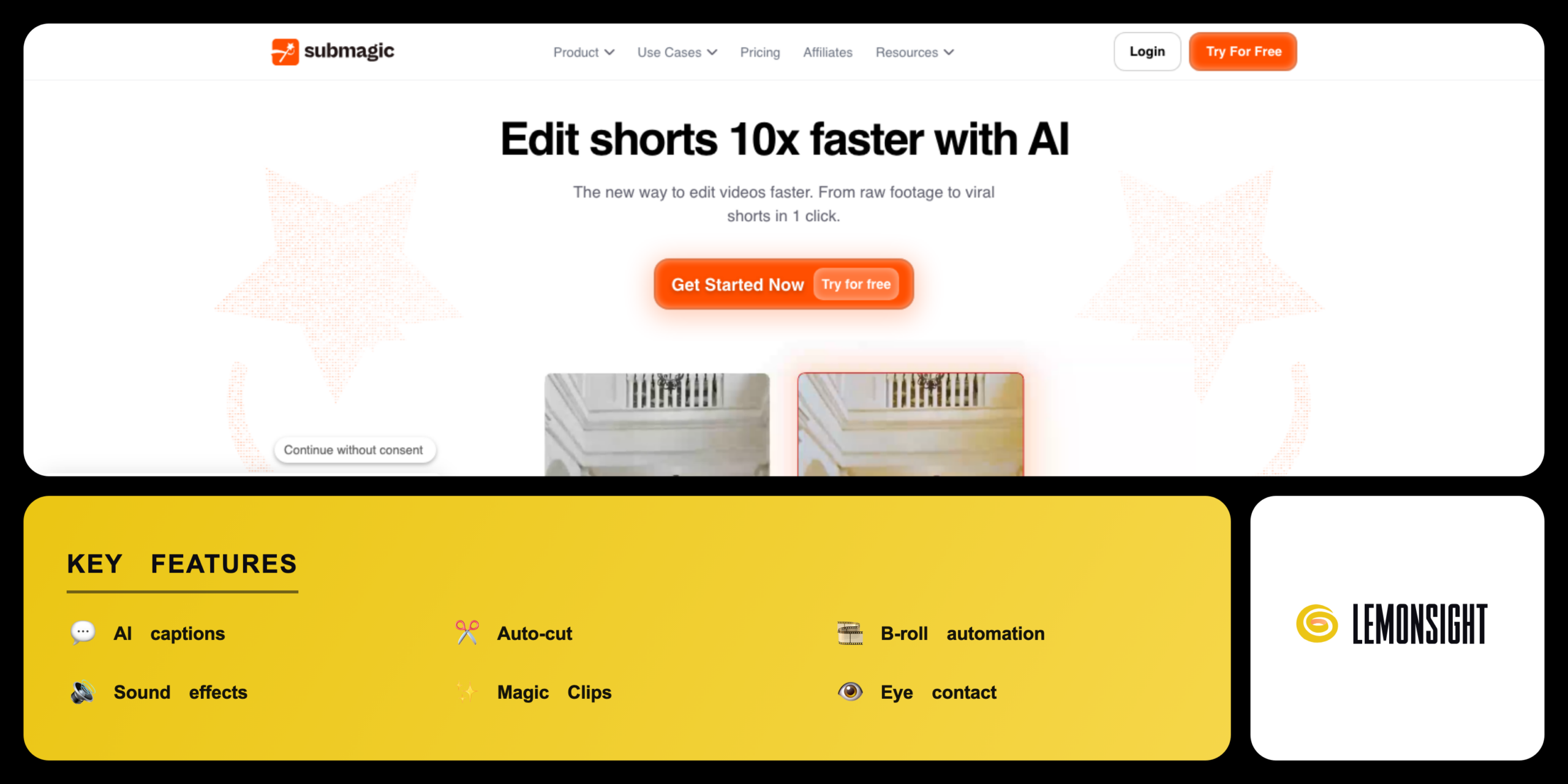
Is Submagic Worth It?
Submagic is worth the cost for short-form creators who need fast animated captions, auto-cuts, and B-roll. It automates the slow parts of vertical video editing for Reels, Shorts, and TikTok, generating animated subtitles and removing silences in one pass. Premium plans start from $19 per month, while the free trial covers three watermarked videos for light use.
About Submagic
Submagic is an AI video editor that adds captions, cuts silences, and inserts B-roll for short-form clips. Submagic operates under the Submagic brand, a France-based company founded in 2023, and builds the editor on speech-to-text and automated editing models.
Submagic follows a three-step workflow in the browser: a user uploads a raw video to the dashboard, Submagic transcribes the audio and applies a caption template, then it adds B-roll, sound effects, and edits before exporting the clip. It combines four core capabilities in one editor — AI captioning for animated subtitles, auto-cut for removing silences and bad takes, B-roll automation for stock footage, and Magic Clips for turning long videos into shorts.
Is Submagic safe, private & secure?
Submagic is safe to use because the platform processes uploads on secure servers with data encryption, encrypting data in transit and at rest. Submagic publishes a privacy policy and terms of service and operates as a legitimate SaaS company with thousands of active users.
Data protection & cancellation
Submagic stores project files under the user account, and users delete projects and account data from the dashboard. Subscriptions can be cancelled from the account billing settings, with access continuing until the end of the billing cycle and refunds following the terms of service.
✅ Worth it if you
- Publish short-form video on Reels, Shorts, and TikTok
- Need fast animated captions and auto-cuts
- Repurpose long videos into shorts with Magic Clips
- Edit short-form video at scale as an agency
🤔 Look elsewhere if you
- Edit only occasionally rather than frequently
- Want full manual control over editing
- Need a full offline desktop app
Our Verdict
Pros
- Accurate AI captions in 50+ languages
- Auto-cut silence removal
- B-roll and sound effect automation
- Magic Clips for repurposing
- Fast browser-based workflow
Cons
- Watermark on the free plan
- Video limit on Starter tier
- 4K export on Business only
- Subscription cost for high volume
- No full offline desktop app
How It Works
Sign up
Sign up for a Submagic account at submagic.co.
Start a project
Open the dashboard and start a new project.
Upload video
Upload a raw video file from the device.
Auto-transcribe
Wait for Submagic to transcribe the audio.
Add captions
Pick a caption template and edit the text.
Enhance
Add B-roll, sound effects, and auto-cuts.
Export
Export the finished clip in vertical format.
Submagic Features
AI captions
Generates animated subtitles from audio.
Auto-cut
Removes silences and bad takes.
B-roll automation
Inserts relevant stock footage.
Sound effects
Adds effects and background music.
Magic Clips
Turns long videos into short clips.
Eye contact
Corrects gaze toward the camera.
Templates
Applies preset caption and edit styles.
Multi-language
Captions across 50+ languages.
Submagic Pricing
Who Is Submagic Best For?
Publish Reels, Shorts, and TikTok clips; Submagic adds animated captions and B-roll in minutes and auto-cut tightens talking-head footage. High-volume creators benefit most from the Pro tier.
Edit short-form video at scale; Submagic standardizes captions across client accounts and Magic Clips repurposes long content into shorts. Agencies rely on the Business tier for higher video volume.
Submagic Alternatives
| Tool | Best for | Price | Notes | Compare |
|---|---|---|---|---|
| CapCut | Free all-round editing | from $9.99/mo | Free tier available | vs → |
| Captions.ai | AI talking-head video | from $9.99/mo | Limited free tier | vs → |
| Opus Clip | Long-to-short clipping | from $15/mo | Limited free tier | vs → |
| Submagic — this review | Captions and B-roll | from $19/mo | Free trial |
Submagic vs CapCut
CapCut offers a free all-round editor with manual control, while Submagic automates captions, B-roll, and auto-cuts for short-form clips. CapCut runs a free tier and a Pro plan from $9.99 per month; Submagic starts from $19 per month with a three-video free trial. Creators who want full manual control choose CapCut, while creators who want fast automated output choose Submagic.
Submagic FAQ
Is Submagic free?
Submagic offers a free plan that allows users to edit up to three videos. Standard free exports include a watermark and a 90-second limit, but removing watermarks and unlocking advanced AI templates requires a Submagic premium subscription.
How much does Submagic cost?
Submagic premium subscriptions cost from $19 per month for the Starter tier. Submagic also offers a Pro plan at $39 per month and a Business plan at $69 per month, with annual billing reducing the monthly cost.
Is Submagic safe?
Submagic is safe to use because the platform processes uploads on secure servers with data encryption. The Submagic terms of service outline standard data collection policies to protect user privacy.
Is Submagic legit?
Submagic is a legitimate service used by thousands of active creators. The Submagic team releases regular updates that improve subtitle accuracy and maintains support channels.
Is Submagic worth it?
Submagic is worth the cost for social media creators who need fast, automated B-roll and subtitles. The Submagic AI tools reduce short-form video editing time and standardize captions across clips.
Ready to try Submagic?
Start free, or take the trial to explore premium features across all your devices.
Visit Submagic →Related Tools

A browser-based AI avatar video generator with genuinely free daily credits, watermarked at 720p until you upgrade.

An AI video generation platform that creates video from text prompts or static images, with style transfer and resolution upscaling.

A cloud-based drag-and-drop animation platform that produces professional 2D training videos and presentations with automated lip-syncing and AI-drafted scripts.

An AI text-to-video and image-to-video generator with Motion Brush, camera controls, and cinematic diffusion models for short-form clips.

Professional video-editing software with AI-assisted timeline editing, color grading, and audio mixing inside Adobe Creative Cloud.

An AI video platform that turns text prompts into fully edited videos with stock media, AI voiceover, and a browser-based timeline editor.