

Veed Review
A browser-based AI video editor that adds subtitles, avatars, and collaborative editing from a single workspace.
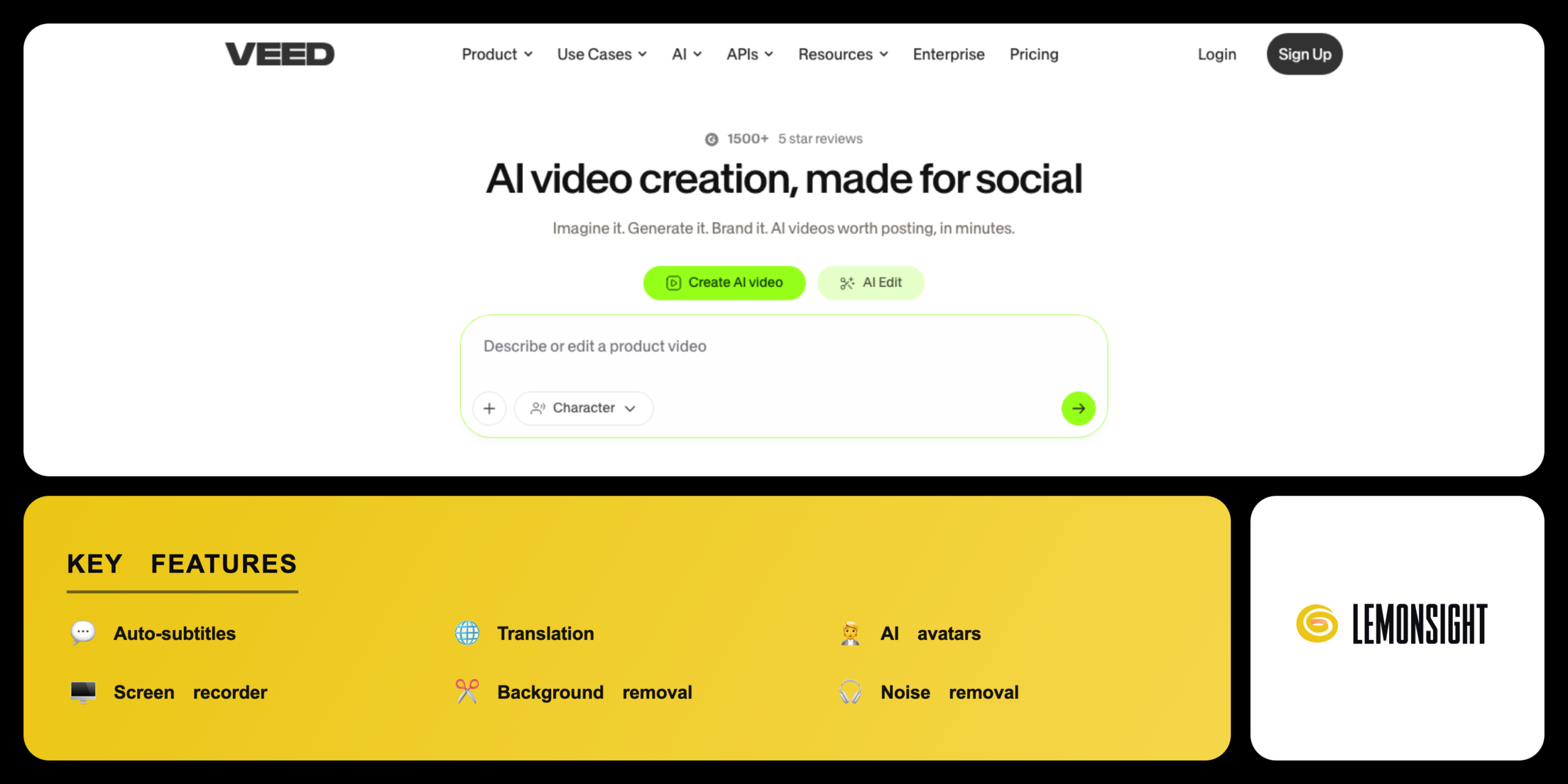
Is Veed Worth It?
Veed is worth the cost for creators and marketing teams who need a fast, browser-based editor with auto-subtitles. It edits, captions, and exports video in one workspace, with paid plans from $12 per month on annual billing. The free plan covers short videos with a watermark, while the Business plan reaches $59 per month.
About Veed
Veed is a browser-based AI video editor that adds subtitles, avatars, and collaborative editing from a single workspace. Sabba Keynejad and Timur Mamedov founded Veed in 2018 in London. Sequoia Capital backed Veed with a $35 million Series A in 2022. Veed offers a free plan and paid plans from $12 per month.
Veed bundles several video tools into one editor. The auto-subtitle engine transcribes and translates speech across 100-plus languages. The AI avatar generator turns text into spoken video. The screen recorder captures the screen and webcam. The brand kit applies logos, fonts, and colours.
Veed serves three main audiences. Content creators use Veed for short-form social videos. Marketing teams use Veed for branded campaign clips. Businesses use Veed for training and product videos. Veed separates access into a free plan and Lite, Pro, and Business subscriptions.
Is Veed safe, private & secure?
Veed is a legitimate, Sequoia-backed platform used by more than 10 million people under a published privacy policy. Veed runs on Google Cloud Platform infrastructure with encryption. Veed documents data handling in its privacy policy and terms of service.
Data protection and privacy compliance
Veed stores user projects on Google Cloud Platform servers and applies encryption to data in transit. The company follows GDPR data-protection rules, offers data controls and deletion from account settings, and provides data processing agreements to enterprise customers through sales.
✅ Worth it if you
- Publish social video often
- Need accurate subtitles across 100-plus languages
- Want fast, browser-based editing with no install
- Work in a marketing team needing a shared brand kit
🤔 Look elsewhere if you
- Need frame-accurate desktop editing tools
- Want a fully free editor with no watermark
- Edit only occasional trims (the free plan may be enough)
Our Verdict
Pros
- Accurate subtitles in 100+ languages
- Browser editor with no install
- AI avatars and background removal
- Collaborative team workspace
- Free plan covers short videos
Cons
- Free plan adds a watermark
- Free exports cap at 720p
- Business plan reaches $59/mo
- Large projects can run slow
- Tier names and prices change often
How It Works
Visit Veed
Visit veed.io and select sign up.
Create account
Create an account with email or Google.
Start project
Start a project and upload or record footage.
Edit timeline
Edit clips on the timeline.
Add AI tools
Add auto-subtitles, avatars, or a brand kit.
Preview
Preview the video in the editor.
Export
Export the file or upgrade to remove the watermark.
Veed Features
Auto-subtitles
Transcribes speech across 100+ languages.
Translation
Converts subtitles into other languages.
AI avatars
Generates spoken video from a script.
Screen recorder
Captures screen and webcam.
Background removal
Isolates a subject without a green screen.
Noise removal
Cleans background audio in one click.
Brand kit
Applies logos, fonts, and colours.
Templates
Speeds up social and marketing edits.
Veed Pricing
- $18/mo billed monthly
- No watermark
- 1080p exports
- More subtitle minutes
- $59/mo billed monthly
- 4K exports
- Team collaboration
- Priority support
Who Is Veed Best For?
Publish short-form social videos; add auto-subtitles and captions for accessibility; the screen recorder captures tutorials; export clips for YouTube, TikTok, and Instagram.
Produce branded campaign videos; apply a shared brand kit across projects; collaboration tools add comments and review steps; generate AI avatar clips for training and product videos.
Veed Alternatives
| Tool | Best for | Price | Notes | Compare |
|---|---|---|---|---|
| Descript | Text-based editing | from $19/mo | Free plan | vs → |
| Kapwing | Quick social edits | from $16/mo | Free plan | vs → |
| Synthesia | AI avatar videos | from $18/mo | Trial | vs → |
| CapCut | Mobile-first editing | from $7.99/mo | Free plan | vs → |
| Veed — this review | Browser editing and subtitles | from $12/mo | Free plan |
Veed vs Descript
Descript edits video by editing a transcript, while Veed edits on a visual timeline. Descript centers on podcast and talking-head workflows (from $19/mo). Veed adds auto-subtitles, AI avatars, and a screen recorder in the browser (from $12/mo annually). Users who edit through transcripts choose Descript, while users who want browser subtitles and avatars choose Veed.
Veed FAQ
Is Veed free?
Veed offers a free plan that exports videos under 720p with a Veed watermark. The free plan includes about 30 minutes of auto-subtitles per month. Watermark removal, higher resolution, and AI avatars require a paid Veed plan.
How much does Veed cost?
Veed Lite costs from $12 per month on annual billing, or $18 per month monthly. Veed Pro costs $24 per month annually, and Veed Business costs $49 per month annually. Enterprise teams use custom pricing through sales.
Is Veed safe?
Veed is safe to use, with projects stored on Google Cloud Platform and encrypted in transit. Veed follows GDPR data-protection rules and publishes a privacy policy. Users manage data and deletion from the account settings.
Is Veed legit?
Veed is a legitimate platform backed by Sequoia Capital and used by more than 10 million people. Veed releases regular updates across its editor and AI tools. The support team handles subscription and account questions.
Is Veed worth it?
Veed is worth the cost for creators and marketers who need fast browser editing, auto-subtitles, and templates. The captions and AI tools speed up social video production. Users who need only occasional trimming find the free Veed plan sufficient.
Ready to try Veed?
Start free, or take the trial to explore premium features across all your devices.
Visit Veed →Related Tools

A browser-based AI avatar video generator with genuinely free daily credits, watermarked at 720p until you upgrade.

An AI video generation platform that creates video from text prompts or static images, with style transfer and resolution upscaling.

A cloud-based drag-and-drop animation platform that produces professional 2D training videos and presentations with automated lip-syncing and AI-drafted scripts.

An AI text-to-video and image-to-video generator with Motion Brush, camera controls, and cinematic diffusion models for short-form clips.

Professional video-editing software with AI-assisted timeline editing, color grading, and audio mixing inside Adobe Creative Cloud.

An AI video platform that turns text prompts into fully edited videos with stock media, AI voiceover, and a browser-based timeline editor.